August 16, 2026 • Doug Porter • 11 min reading time • Prices verified June 25, 2026
Wand Digitizers vs. Flatbeds vs. Dedicated Film Scanners: Which Technology Actually Fits Your Project?
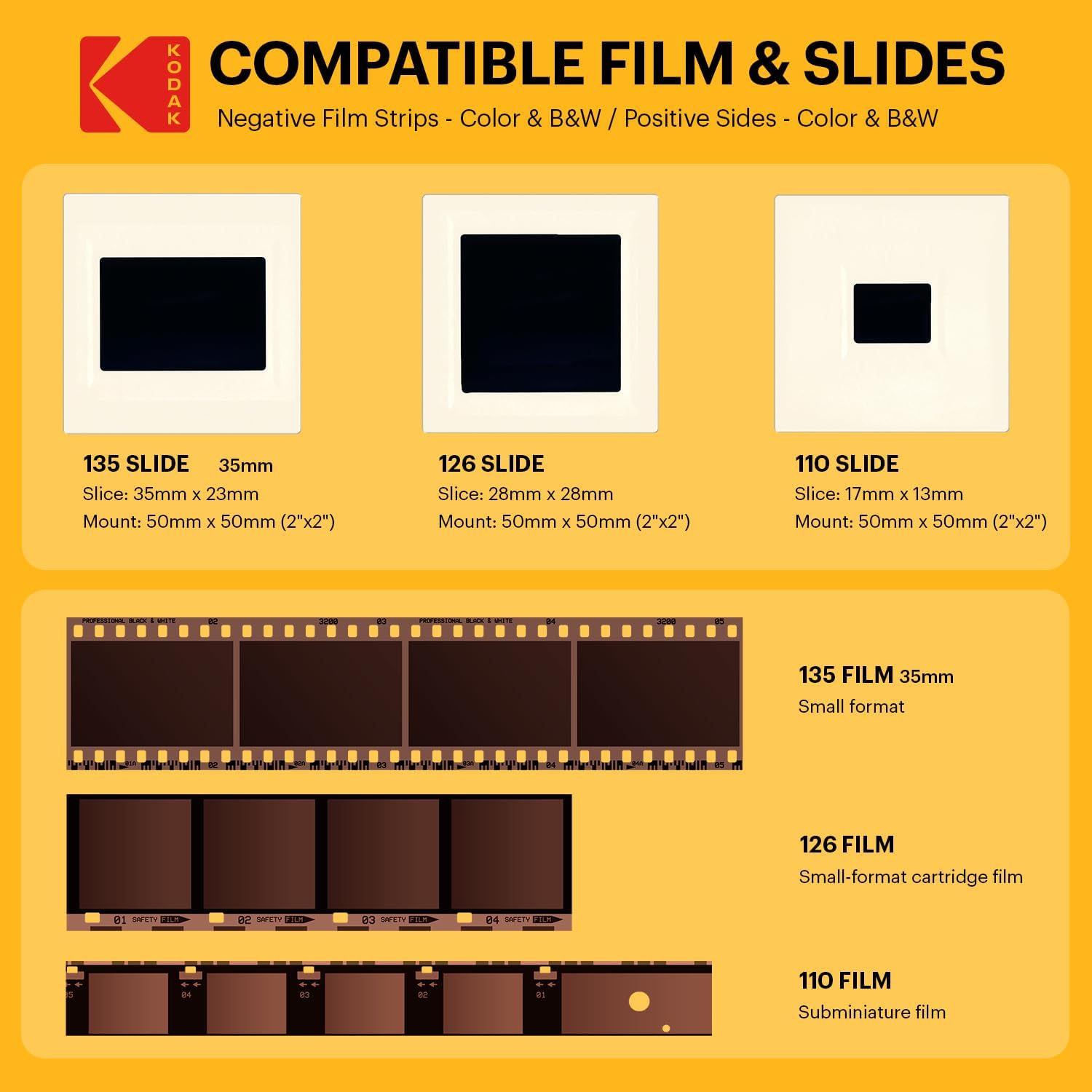
That box of slides in the garage isn’t just old film — it’s the only record that your grandfather wore a mustache in 1962, that your parents’ first apartment had orange wallpaper, that someone in your family once stood at the rim of the Grand Canyon before the guardrails went up. Once those dyes fade past a certain point, no technology on earth fully brings them back. Which means the decision you’re making right now — which scanner type to use — is also a decision about how much of that history survives in usable form.
“Scanner” is actually three very different technologies wearing the same name. A wand or slide digitizer (like the Kodak Slide N Scan) is essentially a camera pointed at a backlit frame — quick, cheap, and polarizing. A flatbed scanner (think Epson Perfection V600 or V850 Pro) uses a moving light bar and contact image sensor to produce high-resolution files from prints, negatives, and slides in holders. A dedicated film scanner (Plustek OpticFilm series, Nikon Coolscan legacy units) is a precision optical instrument built for one job: squeezing maximum detail out of 35mm or medium-format film. Each has a ceiling. Each has a floor. The right one depends on your volume, your end goal, and — frankly — how much of your life you’re willing to spend in front of a screen.
| EDITOR'S PICKEpson Perfection V600 Photo Wir… | Mid-tierPlustek OpticFilm 8200i SE | Budget pickKodak SCANZA Digital Film & Sli… | |
|---|---|---|---|
| Max Resolution | 6400 x 9600 dpi | 7200 dpi | — |
| Film Formats | — | 35mm slides & film | 35mm, 126, 110, 8mm |
| Infrared Dust | — | ✓ | — |
| Max Scan Size | 17" x 22" | 35mm only | — |
| Connection | USB | Mac and PC | — |
| Built-in Display | — | — | 3.5" LCD |
| Price | $1,120.66 | $339.15 | $135.99 |
| See on Amazon → | See on Amazon → | See on Amazon → |
The Core Tradeoff: Speed vs. Optical Fidelity
Before comparing products, lock in the framework. Every decision in this category involves a direct tradeoff between throughput (how many frames per hour you can realistically process) and optical fidelity (how much real detail and color accuracy the output contains).
Consumer wand digitizers win on speed — dramatically. Owners of the Kodak Slide N Scan and similar devices consistently report processing 200–300 slides in an afternoon. The mechanism is simple: you drop a slide into a slot, the unit captures an image of the film frame using a built-in sensor, and you move on. No software calibration. No film holders to align. No waiting. For someone who inherited 1,200 slides from a relative, this throughput is the whole value proposition. Getting through the volume means you can triage, discard duplicates, and identify the thirty frames that actually need professional-grade treatment.
Flatbed and dedicated scanners win on ceiling. The question is whether your project actually needs that ceiling.
Head-to-Head: Three Scanner Categories Compared
Consumer Wand Digitizers: Honest Assessment of the “Screen Grab” Criticism
Multiple hardware reviewers — including detailed assessments compiled in the filmscanner.info Film Scanner Comparison Database, 2025 edition — describe consumer digitizers as performing “more of a screen grab than a true scan.” That framing is accurate and worth unpacking.
A true optical scan moves a precision light source across the film frame and captures reflected or transmitted light at a microscopic level. A consumer digitizer captures an image of the film using a fixed sensor — similar in principle to photographing a slide on a light table with your phone. The distinction matters because:
- Sharpness falls off at the edges of the frame where the sensor-to-film distance isn’t perfectly controlled.
- Dynamic range (the ability to hold detail in both the bright sky and the dark foreground of the same frame) is limited by the capture sensor, not the film’s actual information.
- Dust and scratch detection — the IR-based system most quality flatbeds use — is absent entirely.
The 22MP and 24MP marketing problem. Here’s where the spec sheet actively misleads buyers. Consumer digitizers advertise “22MP” or “24MP” resolution, implying pixel counts comparable to a modern mirrorless camera. The article “Understanding Scanner Resolution vs. Marketing DPI,” published by luminous-landscape.com, is unambiguous on this point: megapixel counts on consumer digitizers describe the output file size, not the optical resolving power of the capture system. A true 4,000 dpi dedicated film scanner resolves detail from the film grain itself. A consumer digitizer interpolates up to a large file size from a lower-resolution capture. You get a big file that doesn’t contain big-file information.
However — and this is the part that gets lost in enthusiast criticism — if the original slide has already suffered significant dye degradation, there may not be much fine detail left to resolve. For heavily faded Kodachrome or deteriorated color negative, a $3,000 dedicated scanner doesn’t conjure detail that no longer exists in the emulsion. Owners who inherited aged family slides specifically note that consumer digitizer output is “good enough” for their use case precisely because the limiting factor is the film, not the scanner.
Super 8 limitation: The Kodak Slide N Scan is rated for standard 35mm slides and negatives. It does not support Super 8 film. Super 8 frames are significantly smaller than 35mm still frames, and the fixed-mount optics on consumer slide digitizers are calibrated for 35mm. Super 8 digitization requires either a dedicated frame-by-frame film scanner or a professional telecine service — full stop.
Best for: Volume triage, family sharing, collections where the film is already heavily degraded, budgets under $150.
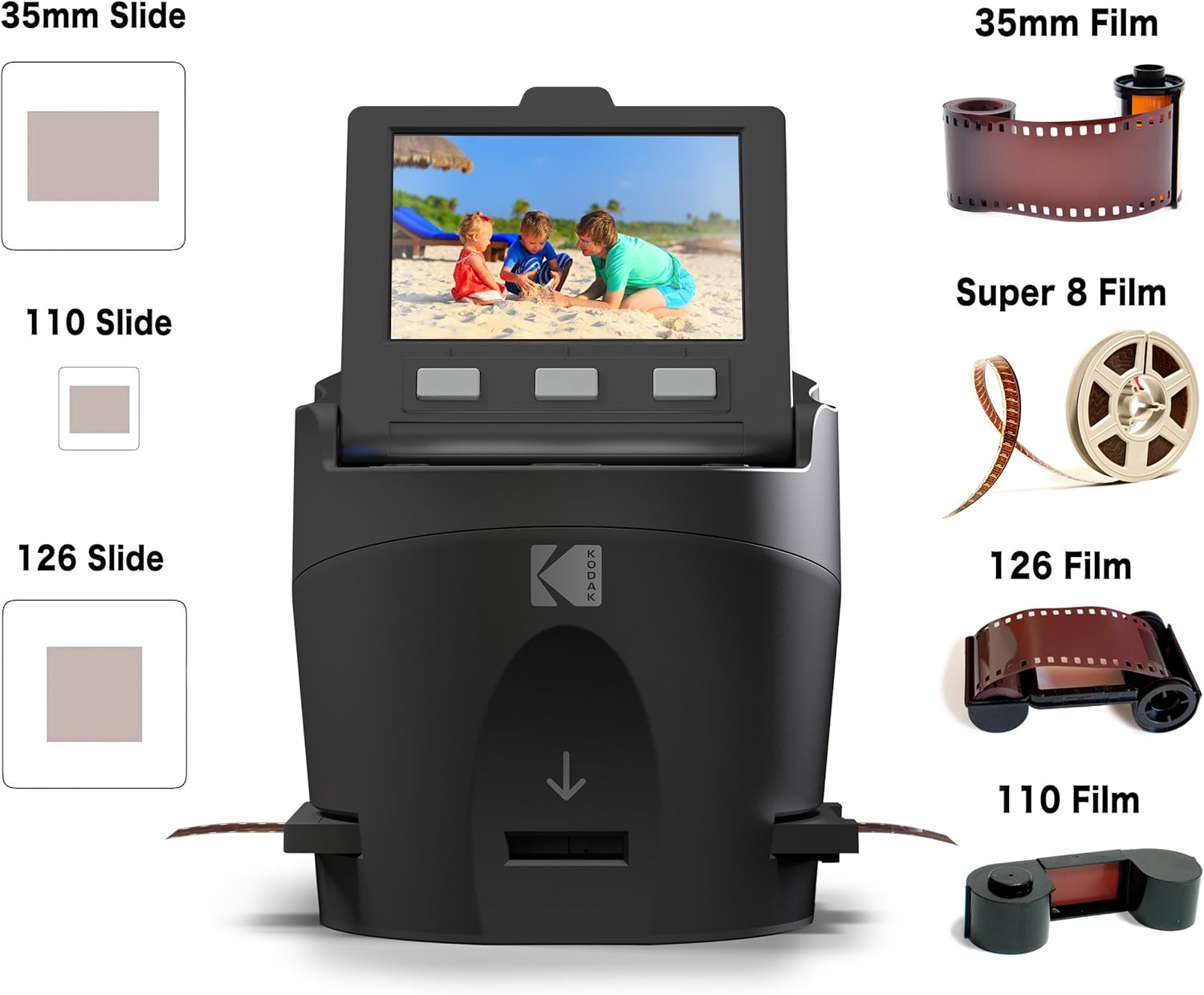
Kodak
$135.99
In stock on Amazon
Check price on AmazonFlatbed Scanners: The Middle Ground That Actually Earns It
The Epson Perfection V600 (roughly $250–$350 as of mid-2026), V800, and V850 Pro occupy genuinely different positions on the quality ladder, but they share a core capability: medium format support. For anyone working with 120-format negatives — the larger film size used by cameras like the Hasselblad, Mamiya, or Yashica Mat — a flatbed with a 120 film holder is the only reasonably priced option. Dedicated 35mm film scanners like the Plustek do not accommodate 120 film. The V600 includes holders for 35mm slides, 35mm negatives, and 120 medium format, making it the default recommendation for mixed-format collections.
The flatbed’s quality ceiling on 35mm is real but has a defined limit. The long-term review of the Epson Perfection V850 Pro published by imaging-resource.com documents its optical resolution as competitive with entry-level dedicated scanners for film — sufficient for 35mm slides destined for 8×10 or 11×14 prints. For 20×30 fine-art output, a dedicated scanner earns its price premium.
The V850 Pro also includes infrared dust-and-scratch removal. Critical caveat: IR-based dust removal does not work on Kodachrome slides. Kodachrome’s unique dye structure absorbs infrared light the same way dust does, causing the software to misidentify and “correct” film detail as a scratch. Ektachrome, Fujichrome, and most color negatives are safe. Kodachrome requires manual spotting — always, regardless of scanner.
By the numbers — scanner type throughput for a 500-slide project:
| Scanner Type | Est. time per frame | Total time (500 slides) |
|---|---|---|
| Consumer digitizer (no editing) | ~45 seconds | ~6 hours |
| Flatbed, batch mode (V600/V800) | ~3–5 minutes | ~25–40 hours |
| Dedicated film scanner (Plustek + software) | ~6–10 minutes | ~50–80 hours |
Time estimates are drawn from long-run owner reports aggregated in the filmscanner.info Film Scanner Comparison Database and the imaging-resource.com Epson Perfection V850 Pro Long-Term Review. Individual results vary with software workflow and whether you’re doing manual color correction per frame.
Best for: Mixed-format collections (35mm plus 120 medium format), prints alongside film, budgets of $250–$600, users who want one device for everything.
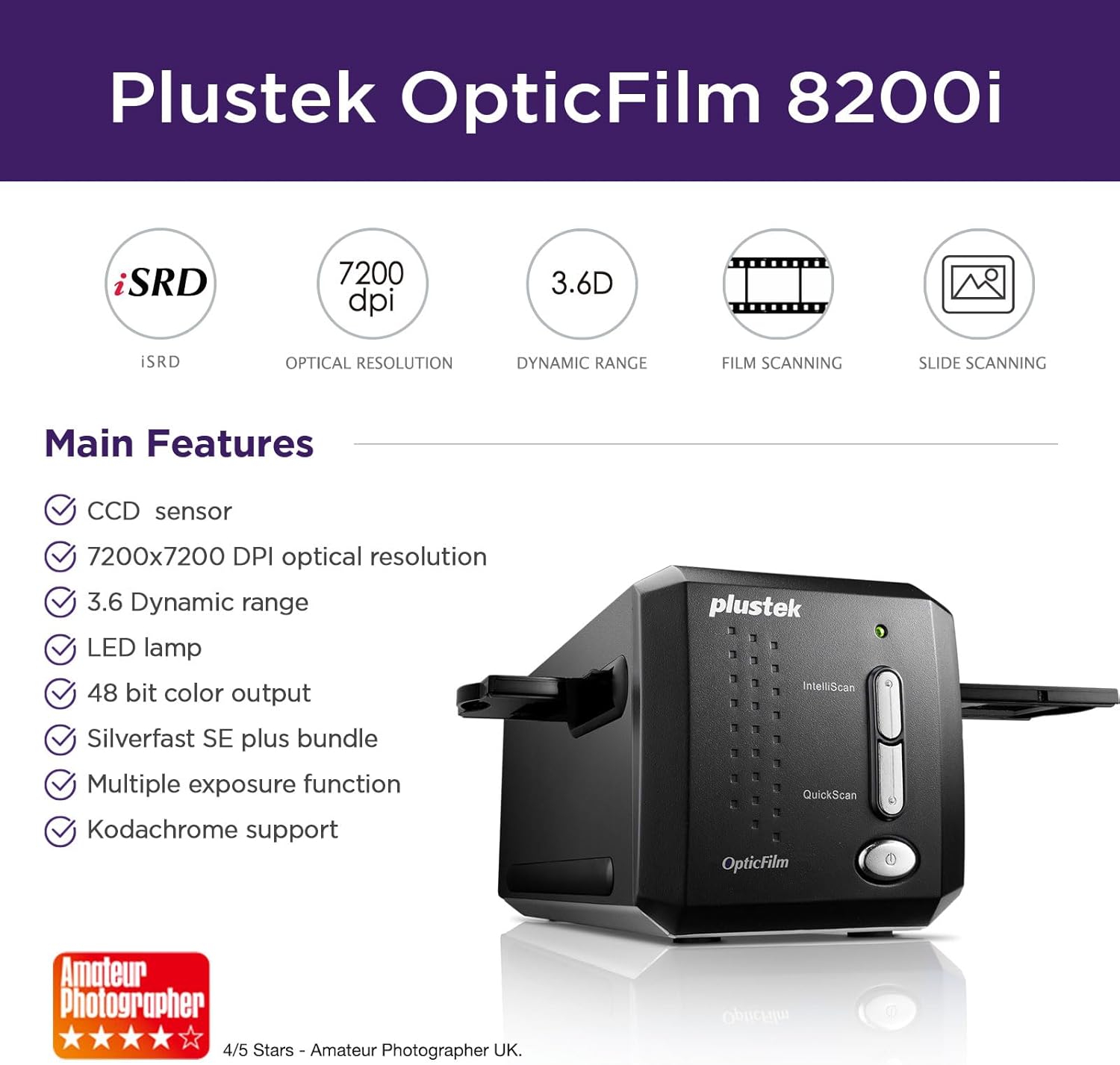
Plustek
$339.15
In stock on Amazon
Check price on AmazonDedicated Film Scanners: The Ceiling, and the SilverFast Problem
The Plustek OpticFilm 8300i Ai and its siblings represent the highest optical quality available under $1,000 for 35mm film. The review of the Plustek OpticFilm 8300i Ai published by photopxl.com calls it “excellent for the money” — a phrase that appears with notable consistency across multiple independent assessments. The optical resolution is genuine, the color depth is deeper than flatbeds at comparable price points, and the included AI-driven software (SilverFast Ai Studio) handles grain reduction, color restoration, and ICC profile management.
SilverFast is the friction point. Multiple Plustek owners flag this in long-run reviews: SilverFast Ai Studio is powerful software with a documentation problem. The interface is non-intuitive, the manual is dense, and the learning curve has driven casual users back to simpler workflows. This is not a reason to avoid the scanner — it’s a reason to audit your time budget honestly.
Do you need SilverFast to get good results from a Plustek? No. VueScan — a third-party scanning application sold as a perpetual license — supports the full Plustek hardware lineup and is significantly more approachable. Owners who switched from SilverFast to VueScan consistently report the workflow friction dropping substantially while retaining most of the quality ceiling. For Kodachrome-heavy collections, SilverFast’s dedicated film profiles are worth the learning curve. For everything else, VueScan is a credible primary workflow.
Best for: 35mm-only collections with enlargement or archival goals, fine-art print output at 20×30 or larger, permanent institutional deposit, collections with significant Ektachrome or color negative in good condition.
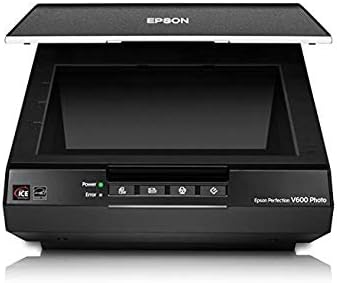
Epson
$1,120.66
In stock on Amazon
Check price on AmazonWhat Happens When the Slide Has Already Faded?
This deserves direct treatment because it changes the equipment calculus significantly.
Film dye degradation — the cyan shift in aged Kodachrome, the magenta drift in older Ektachrome — is not a scanning problem. The dye loss happened in storage, and no scanner recovers dye that no longer exists. What scanning quality does affect on degraded film:
- Shadow detail recovery: A higher dynamic-range scanner captures more of the remaining tonal information in dark areas of the frame, giving post-processing software more to work with.
- Color channel separation: Better scanners produce more accurate separation between the surviving dye layers, making AI-assisted restoration tools more effective.
- Noise floor: Low-quality sensors introduce digital noise that’s indistinguishable from film grain in the final file, compressing your editing headroom.
For significantly faded slides, the Library of Congress Recommended Formats Statement, 2024–2025 edition (published at loc.gov under Preservation Resources) recommends scanning at the highest practical resolution regardless of apparent image quality — because the metadata of what survives is itself archivally significant. The guidance is written for institutional archivists, but the principle applies universally: scan it right once, because you likely won’t go back.
Frequently Asked Questions
Is the 22MP or 24MP resolution on consumer digitizers real or marketing? It’s a file-size specification, not an optical resolving power measurement. The output file contains that many pixels, but the actual detail resolved from the film is substantially lower. The luminous-landscape.com article “Understanding Scanner Resolution vs. Marketing DPI” is the clearest published explanation of this distinction.
Can the Kodak Slide N Scan handle Super 8 film as well as 35mm slides? No. The Kodak Slide N Scan is designed for 35mm slides and 35mm negatives only. Super 8 frames are a different size and require a dedicated frame scanner or professional digitization service.
Will a flatbed scanner like the V600 work for medium format 120 negatives? Yes — and it’s one of the few affordable options that does. The V600 ships with 120-format film holders and covers the full medium format frame. Dedicated 35mm film scanners like the Plustek OpticFilm series do not support 120 film.
How much slower is a flatbed compared to a consumer digitizer for a batch of 500 slides? Significantly slower. Estimates aggregated from the filmscanner.info Film Scanner Comparison Database put consumer digitizers at roughly 6 hours for 500 slides; a flatbed in batch mode typically requires 25–40 hours for the same volume. A dedicated film scanner with a careful software workflow can push that toward 50–80 hours. The time cost is real and should be part of your decision.
Do I need SilverFast to get good results from a Plustek scanner, or can I use other software? SilverFast is included and has genuinely useful film-specific profiles, but it’s not mandatory. VueScan supports Plustek hardware fully and has a significantly more approachable interface. For Kodachrome-heavy collections, SilverFast’s dedicated profiles are worth the learning curve. For everything else, VueScan is a credible primary workflow.
What happens to image quality when the original slide has already faded or lost dye? No scanner recovers dye that no longer exists. What better scanners offer is deeper dynamic range, cleaner color channel separation, and a lower noise floor — all of which give restoration software more to work with. For heavily degraded originals, scanning quality still matters; it just doesn’t perform miracles.
The Decision Rule
If your goal is volume triage — getting through 500+ slides quickly to find the keepers, for family sharing or low-resolution digital archiving — a consumer wand digitizer is defensible and honest for that use case. Acknowledge the quality ceiling going in.
If you have mixed formats (35mm plus 120 medium format) or prints alongside film, a V600-class flatbed is the only logical choice under $500.
If you have a 35mm-only collection with enlargement or archival goals — fine-art prints, permanent institutional deposit, or significant Ektachrome or color negative in good condition — a Plustek OpticFilm with VueScan is where the quality math tips decisively in favor of the dedicated scanner.
If you have Kodachrome specifically, budget for manual dust spotting regardless of which scanner you choose, and consider whether a professional lab with a drum scanner or Nikon Coolscan might be the right answer for your highest-priority frames.
No reviewer surveyed for this article reported buyer’s remorse for over-buying on a flatbed or dedicated scanner. Several consumer-digitizer owners acknowledged the limitations while still recommending the product — for their use case. Know your use case before you buy the tool.