August 24, 2026 • Doug Porter • 11 min reading time • Prices verified June 25, 2026
Kodak vs. Magnasonic vs. Portta: Which Dedicated Film Digitizer Actually Delivers
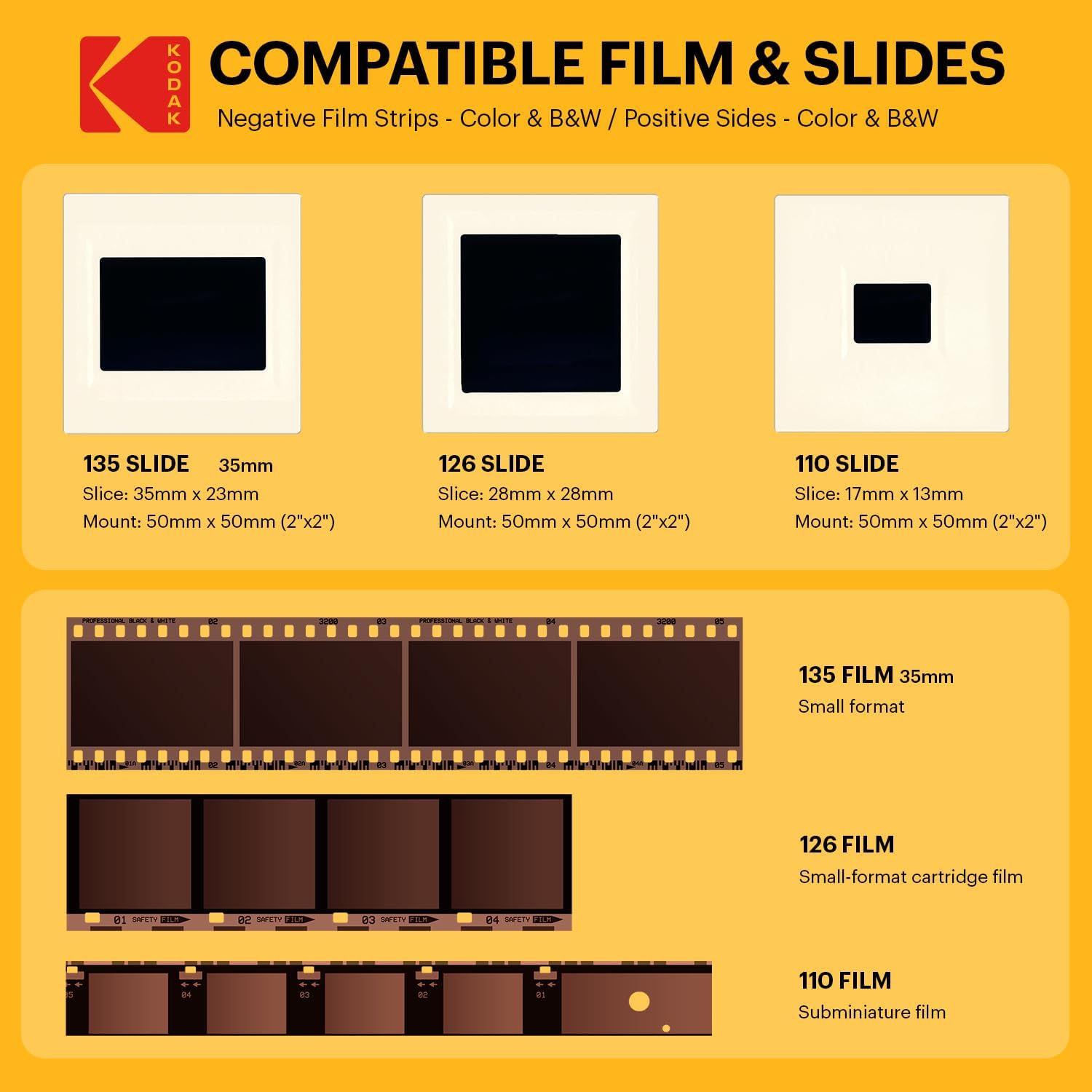
That box of slides in the attic isn’t just clutter — it’s a record of people and moments that exist nowhere else on earth. If you’ve decided to digitize them yourself rather than mailing them to a service, you’ve probably encountered a product category called dedicated film digitizers, sometimes called film-to-digital converters. Unlike flatbed scanners — devices that capture image data line by line at high optical resolution, the way an office copier works — dedicated digitizers take a different approach: they photograph the film through a built-in backlight using a small camera sensor, then save the image directly to an SD card or USB drive. No computer required, no software to install, no cables to manage. Load a slide, press a button, done in roughly three seconds.
That speed is real, and for someone facing 800 slides over a weekend, it matters. But speed is not the same as quality, and before you commit to one of these devices, the tradeoffs deserve a clear-eyed look. This comparison covers the three names you’ll encounter most often at the $80–$200 price point: the Kodak Slide N SCAN (and its licensed variants), Magnasonic, and Portta. All three promise convenient digitization of 35mm slides and negatives; some models also handle medium-format and Super 8. Here is what verified owner reviews and published technical sources actually show.
| EDITOR'S PICKKODAK Slide N Scan Max Digital… | Mid-tierKodak SCANZA Digital Film & Sli… | Budget pickMagnasonic All-in-One 24MP Film… | |
|---|---|---|---|
| Film formats | — | 35/126/110/S8/8mm | 35/126/110/S8 |
| Slide formats | Slides | — | 135/126/110 |
| Screen size | 7" | 3.5" | 5" |
| Feed method | Quick-feed tray | Easy-load inserts | — |
| Resolution | — | — | 24MP |
| Built-in memory | — | — | ✓ |
| Price | $178.49 | $135.99 | $110.96 |
| See on Amazon → | See on Amazon → | See on Amazon → |
The Core Technology — and Why “22MP” Doesn’t Mean What You Think
Every device in this category markets itself with a megapixel number: 22MP, 24MP, even 48MP on some listings. Those numbers require immediate translation. As the filmscanner.info Film Scanner Buyer’s Guide explains in its section on optical versus interpolated resolution, “interpolated resolution” — a process where software mathematically estimates detail between actual captured pixels — is almost universally what these figures represent. The genuine optical resolution of the sensors inside $100–$200 digitizers is typically in the 5–10 megapixel range at best.
Why does that gap matter? A 35mm slide contains an enormous amount of fine detail — grain structure, edge sharpness, subtle color gradients. A true optical scan from a prosumer flatbed captures at 4,000–6,400 dots per inch, resolving detail that was genuinely recorded on the film. The digitizers in this comparison capture the image backlit through the film at much lower native resolution, then upscale mathematically. One consistent pattern in Kodak owner reviews is the description that the device does “more of a screen grab of the displayed slide” than a true scan — which is close to an accurate technical characterization.
This does not make these devices useless. It defines exactly what they are good for.
Head-to-Head: The Three Main Contenders
Kodak Slide N SCAN
Kodak
$135.99
In stock on Amazon
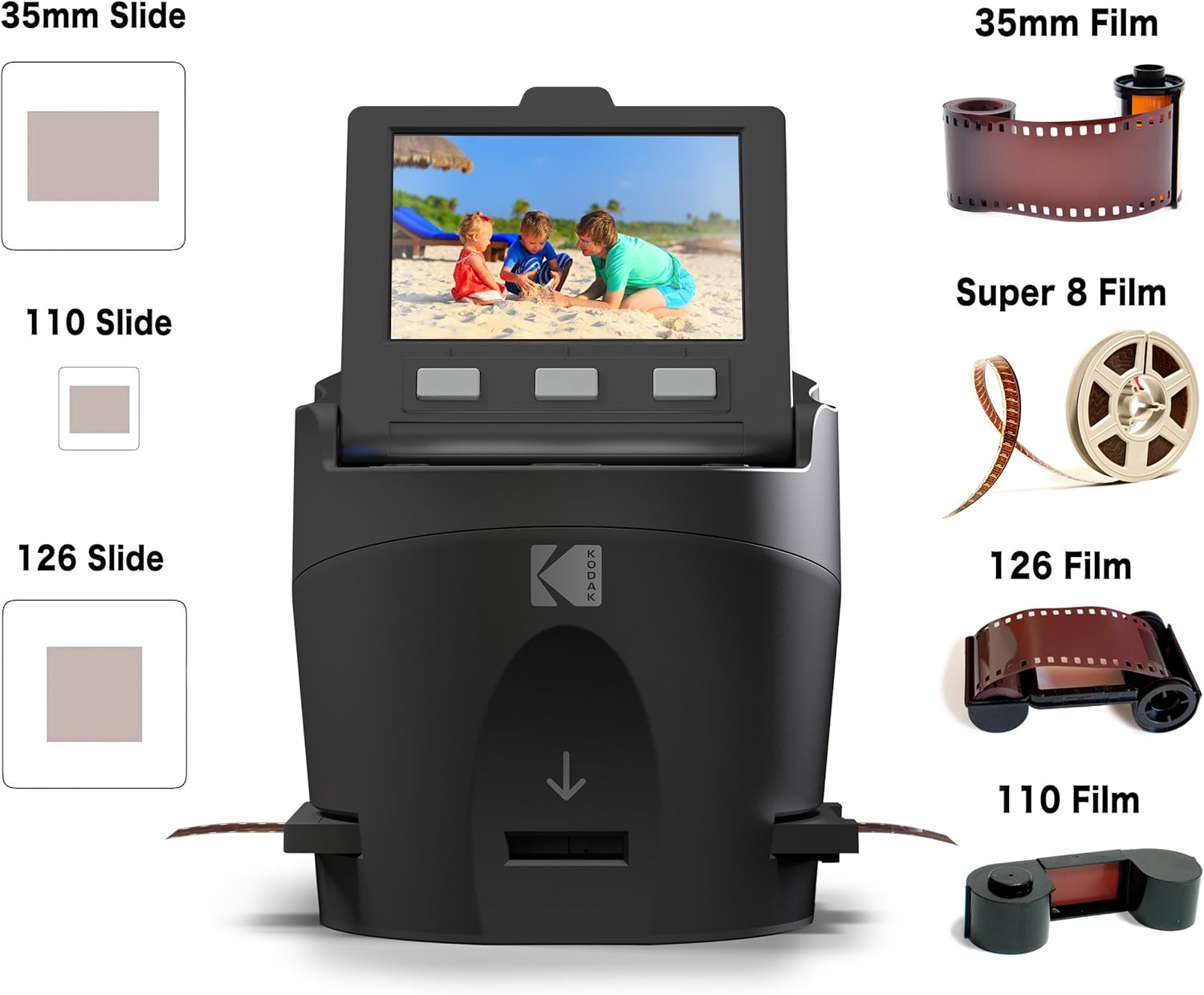
Check price on AmazonThe Kodak-branded digitizer line benefits substantially from name recognition, and for this category that accountability is not entirely unearned — Kodak carries more quality-control visibility than a no-name import brand. Across aggregated Amazon purchaser reviews spanning 2023–2025, owners consistently report that the device delivers exactly what its actual use case promises: rapid, preview-quality digitization of large collections.
Recurring praise clusters around three features: the 5-inch LCD preview screen, which is large enough to spot obvious exposure problems before committing a frame to the card; the tray-based slide loading system that handles both mounted slides and film strips; and a learning curve so minimal that first-time users report confidence within the first ten slides. Multiple reviewers describe processing several hundred slides in a single sitting. One owner specifically flagged the HP-licensed variant’s 128GB SD card support as a practical differentiator for large batches — with JPEG file sizes in the 3–6MB range, that translates to potentially 20,000 images before swapping cards.
The recurring limitation is equally consistent in the review record: visible film grain when zooming in on output files, reduced sharpness on fine detail compared to even a mid-tier flatbed scanner, and color rendering that reviewers describe as “decent” rather than accurate. Interpolation artifacts are most visible on slides containing fine text, detailed foliage, or high-contrast architectural lines. One pattern worth noting: many owners who report satisfaction are explicitly comparing the Kodak digitizer to doing nothing, not to a flatbed scanner. That is a legitimate and honest comparison — but it is not an endorsement of image quality.
Best for: Large collections (300+ slides) where speed and ease of use outweigh maximum resolution. Social sharing, family album creation, rapid triage of what to send to a professional service.
Limitations: Interpolated resolution inflates the headline MP number. Fine detail recovery is limited. Faded slides are faithfully captured in their deteriorated state — no in-device color reconstruction.
Kodak
$135.99
In stock on Amazon
Check price on AmazonMagnasonic 22MP Film Scanner
Magnasonic FS71
$110.96
In stock on Amazon
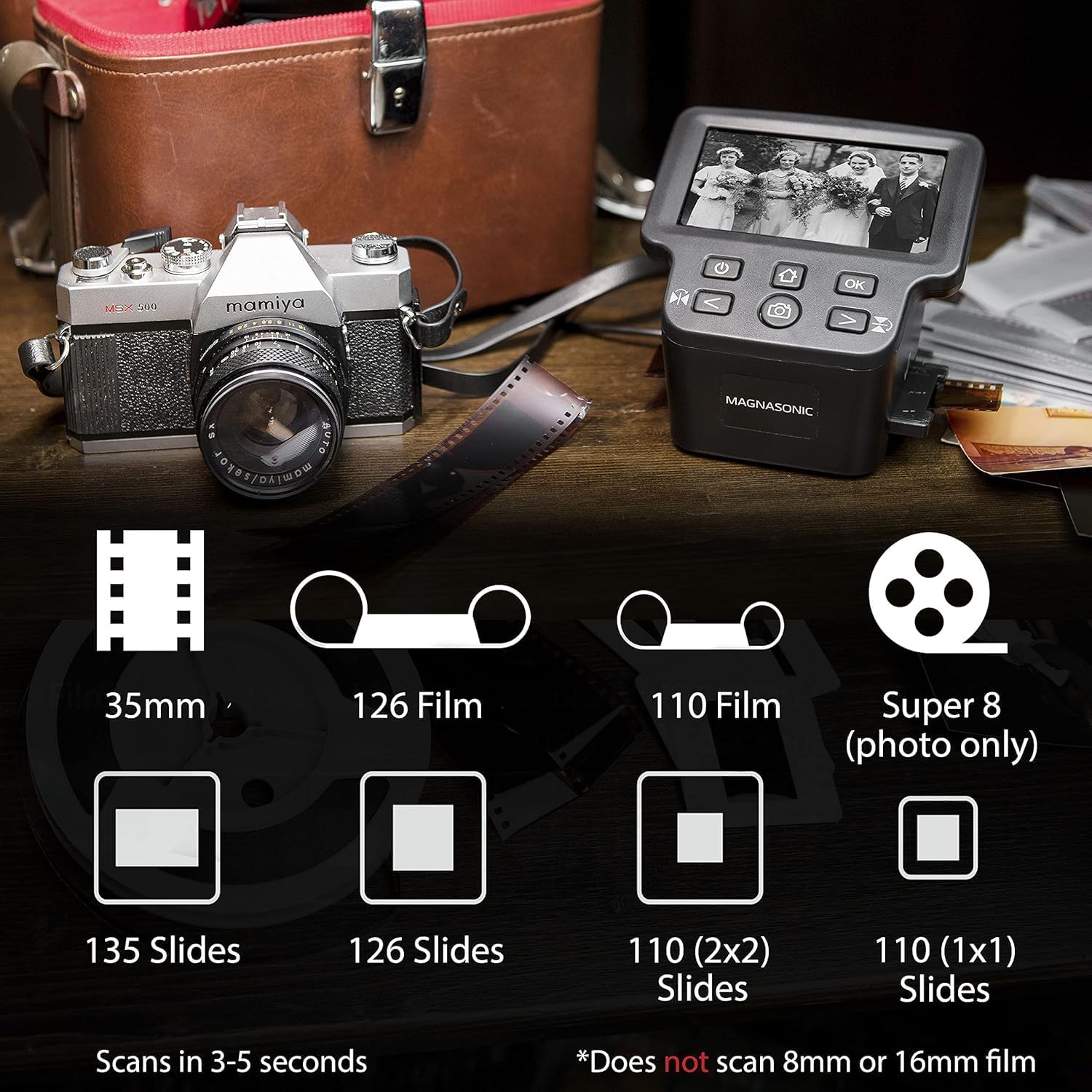
Check price on AmazonMagnasonic has built a following among family historians who prioritize consistent handling and color rendering over headline resolution figures. The brand occupies a slightly more technical positioning than the Kodak entry-level models, offering more deliberate exposure controls on its higher-end variants.
Owner-reported results closely mirror the Kodak experience: speed is praised, ease of use is praised, and output quality receives a consistent “good enough for sharing and on-screen viewing” assessment. Where Magnasonic distinguishes itself most clearly in the review record is in the handling of film strips versus mounted slides. Multiple reviewers report that the strip-film holder is more reliably aligned than on some Kodak variants, which reduces the number of re-scans needed for cropping corrections. For 35mm negatives from the 1980s and 1990s, this makes a practical difference in throughput.
The dpreview.com Film Scanner Roundup and Resolution Testing Notes confirm the broader category trend: devices in this price range resolve detail at meaningfully lower optical fidelity than their marketed megapixel figures suggest, regardless of brand. Magnasonic is not exempt from this constraint — but within the constraint, its film-strip handling gives it an edge for negative-heavy collections.
One limitation that surfaces across Magnasonic reviews — and across the entire category — is the device’s inability to rescue badly faded or degraded originals. Several reviewers explicitly note that slides with significant dye shift yield no better results at higher settings. The sensor captures what light transmits through the film; if the film’s dye layer has deteriorated, no consumer digitizer can reconstruct lost information. The Library of Congress Recommended Formats Statement 2023–2024 notes this principle directly: capture quality is bounded by the condition of the source material, not solely by the digitization device.
Best for: Collections that mix mounted slides and film strips. Users who want slightly more exposure control than the base Kodak offers. Budget-conscious buyers who prioritize strip-film alignment accuracy.
Limitations: Same interpolated-resolution ceiling as the Kodak. Faded originals reveal their deterioration without mitigation. Card support typically limited to 32GB on standard models.
Magnasonic FS71
$110.96
In stock on Amazon
Check price on AmazonPortta Film Digitizer
Magnasonic FS71
$110.96
In stock on Amazon
Check price on AmazonPortta is the least-discussed of the three brands in English-language review aggregations, and the evidence base is correspondingly thinner. What owner feedback exists suggests a device that performs comparably to entry-level Magnasonic models — adequate for basic digitization of 135mm slides and negatives, with no standout advantage on resolution or color fidelity.
The Portta does carry a slight edge in build compactness, which matters if you are digitizing across multiple locations or need a device that travels easily. For buyers who need a portable secondary device for occasional use, it merits consideration. For primary digitization of a large family archive where throughput and proven reliability are priorities, the Kodak or Magnasonic represents a more established choice based on the available review record.
The B&H Photo Video Film Scanners Buying Guide (updated 2024) categorizes devices in this price tier consistently: they are appropriate tools for access copies and social-sharing workflows, but they do not replace optical scanning for archival-quality output. Portta sits squarely within that characterization — a capable convenience device, not a precision instrument.
Best for: Portability-constrained use cases. Occasional digitization of smaller slide or negative sets. Secondary device for remote or travel-based scanning sessions.
Limitations: Thinner review record than Kodak or Magnasonic. No format support beyond 135mm on most models. No meaningful resolution or color-fidelity advantage over competitors.
Magnasonic FS71
$110.96
In stock on Amazon
Check price on AmazonWhen a Digitizer Is the Right Tool — and When It Isn’t
The honest decision frame is where most buyers get stuck, because the marketing materials for these devices do not draw the line clearly.
If your goal is cataloguing and sharing — building a visual inventory of 500+ slides, sharing on a family Dropbox or digital album, or creating a rough triage index before investing in professional scanning — a dedicated digitizer is genuinely appropriate. The speed advantage is real. Processing 200 slides in an afternoon is achievable. The output is more than sufficient for a 1080p TV display or a shared online album.
If your goal is archival preservation or print-quality output, the digitizer category is the wrong tool regardless of brand. The B&H Photo Video Film Scanners Buying Guide is direct on this point: true optical resolution from a prosumer flatbed or dedicated film scanner produces files with fundamentally more recoverable detail. The gap is not marketing noise — it is real, and it shows at any print size above 4×6 inches. For irreplaceable originals, a flatbed such as the Epson Perfection V600 or a dedicated film scanner such as the Plustek OpticFilm 8300i Ai represents a meaningfully different class of device.
If your source material is badly faded Kodachrome — with that characteristic cyan-channel shift — the digitizer will show you precisely how faded it is, and nothing more. No color correction built into these devices reconstructs cyan channel detail that the dye layer no longer contains. Post-processing in AI-assisted software can recover some apparent sharpness through inference, but that is a separate workflow step requiring import into a computer regardless of which digitizer you use.
The upgrade path is linear: consumer digitizer → prosumer flatbed (Epson V600, approximately $350–$500) → dedicated film scanner (Plustek OpticFilm 8300i Ai, approximately $400–$600) → professional mail-in service ($0.25–$2.00 per frame depending on volume and format). Each step roughly doubles output quality and time investment per frame.
Frequently Asked Questions
Is a film digitizer the same as a film scanner, and does the difference matter for family photos? No, they are meaningfully different. A film scanner resolves detail at high optical resolution using a sensor that traverses the film at low speed. A digitizer photographs the film through a backlight using a lower-resolution camera sensor and saves the result immediately. For on-screen sharing and family albums, the difference is acceptable. For printing larger than 5×7 or archiving with the intent to re-print decades later, the difference is considerable.
How many slides can I realistically digitize in a day? Owner reports consistently put throughput at 150–400 mounted slides per session for an experienced user, depending on how carefully each capture is reviewed. Unmounted film strips are faster per frame but require more handling attention. A full dedicated day — approximately six hours — can yield 300–500 frames across all three devices reviewed here.
Will a digitizer show me what a badly faded slide actually looks like? Yes, precisely — and that is not a compliment. The device faithfully captures the degraded state of the film. It cannot reconstruct color information that the film’s dye layer no longer contains. What you digitize is what the film currently is, not what it originally was.
Do I need to buy an SD card separately? Most devices in this category do not include an SD card. For routine JPEG output, a 32GB card holds several thousand images and is sufficient for most models. The HP-licensed Kodak variant supports 128GB — useful if you are managing collections of 1,000 or more slides without wanting to interrupt the session for card swaps.
How do results from a $100 digitizer compare to a professional mail-in service? Professional services scanning 35mm slides at 4,000 dpi or above produce files with substantially more detail, better color fidelity, and significantly larger file sizes — typically 20–50MB per frame versus 3–6MB from a consumer digitizer. For a social-sharing archive, the difference is usually acceptable. For fine-art prints or archival deposits, it is meaningful. The cost math favors professional services for collections under roughly 200 frames; for very large collections where cost-per-image and speed are primary, owning a digitizer makes more sense.
The bottom line: if you are building a rapid visual inventory of a large collection and your output destination is screens rather than prints, the Kodak and Magnasonic both deliver on their actual promise. Choose the Kodak if brand accountability and the wide accessory ecosystem matter to you; choose the Magnasonic if strip-film handling accuracy is a priority. The Portta is worth considering only if portability is a genuine constraint. And if the slides you are digitizing are irreplaceable — the kind where losing recoverable detail now means losing it forever — treat any device in this category as a triage tool, not a final answer.