August 11, 2026 • Doug Porter • 10 min reading time • Prices verified June 25, 2026
Plustek vs. the Marketing DPI Myth: Which 35mm Film Scanners Actually Deliver
That box of negatives represents decades of moments nobody staged for a camera — holidays, backyard afternoons, faces you can only half-remember. Getting those images off film and onto a screen (or into a print) means running them through a film scanner: a device that shines light through the transparent film strip and captures the image as a digital file. The number printed biggest on the box is always DPI — dots per inch, a measure of how much detail the scanner theoretically captures. But here is the thing most listings quietly skip: that headline DPI is almost always interpolated, meaning the scanner’s software invented pixels that were never actually on the film. The real performance number — optical resolution, the detail the hardware lens and sensor can genuinely resolve — is almost always lower, sometimes dramatically so. This guide cuts through the marketing math, names the scanners that earn their specs, and gives you a clear decision frame so you can stop comparison-shopping in circles.
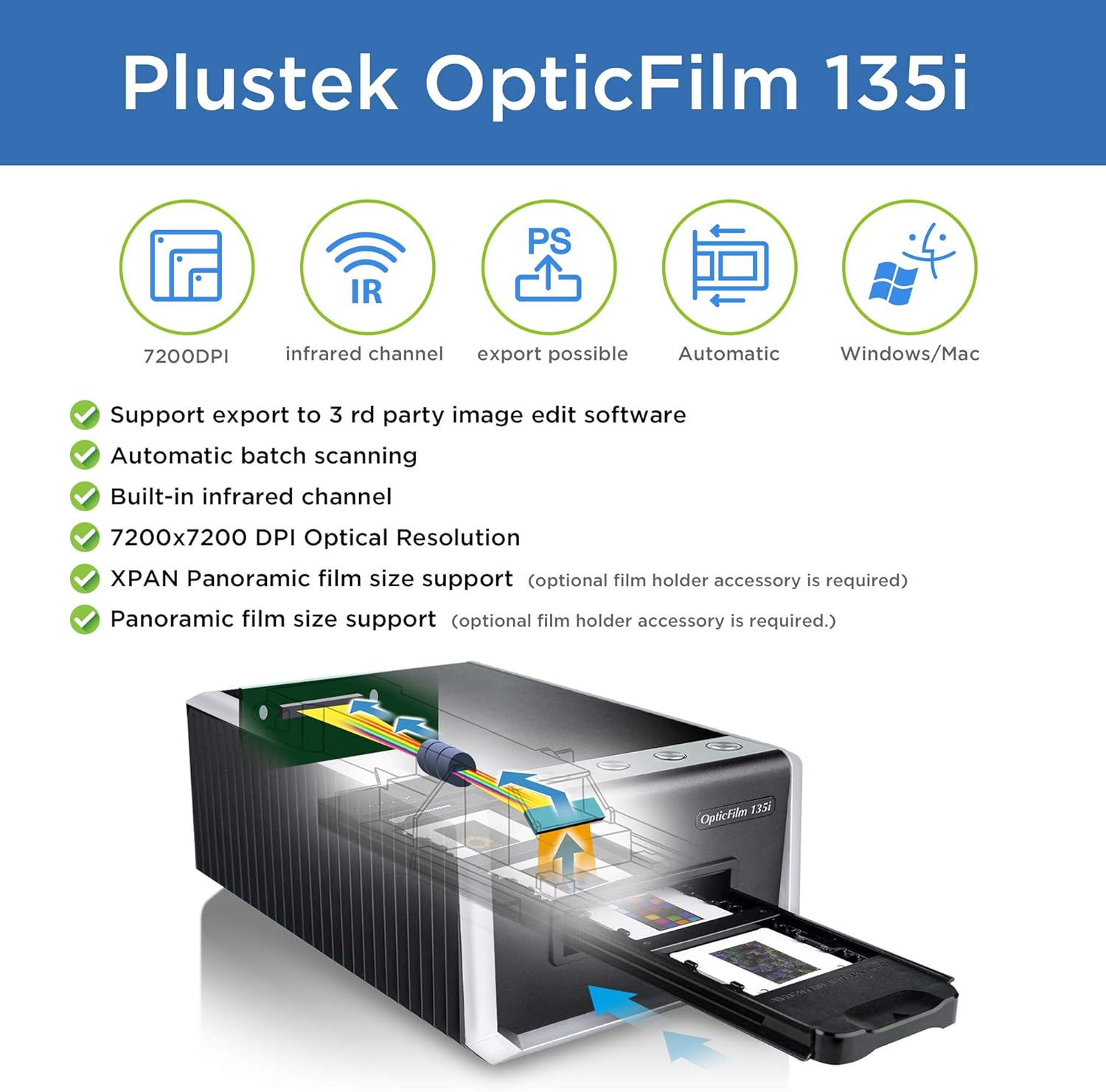
| EDITOR'S PICKPlustek OpticFilm 8300i Ai Film… | Mid-tierPlustek OpticFilm 135i - Automa… | Budget pickPlustek OpticFilm 8200i SE | |
|---|---|---|---|
| Max resolution | — | 7200 dpi | 7200 dpi |
| Batch scan | — | ✓ | — |
| Infrared dust rem | — | — | ✓ |
| Software bundle | SilverFast Ai Studio 9 | — | SilverFast SE Plus 9 |
| Calibration target | ✓ (3-slide IT8) | — | — |
| Price | $539.00 | $449.65 | $339.15 |
| See on Amazon → | See on Amazon → | See on Amazon → |
Why “7,200 DPI” Is Almost Always a Lie (and What the Real Number Is)
Let’s anchor the math first. A frame of 35mm film — the physical strip you’re scanning — measures roughly 24 × 36 mm. At a true optical resolution of 3,200 DPI, that frame yields a file of about 4,500 × 3,000 pixels, or roughly 13.5 megapixels. That’s enough for a sharp 11 × 14-inch print with room to crop. At a genuine 4,000 DPI, you’re approaching 17 megapixels — solid for 16 × 20 output or aggressive digital cropping.
Now look at what manufacturers print on the box.
By the numbers:
- Plustek OpticFilm 8300i Ai — marketed at 7,200 DPI; the filmscanner.info 35mm Film Scanner Resolution Test Database documents tested optical resolving power in the range of approximately 3,200–3,600 line pairs per mm, equivalent to roughly 4,000 effective DPI
- Epson Perfection V850 Pro — marketed at 6,400 DPI; the imaging-resource.com Epson Perfection V850 Pro review places real-world optical sharpness on 35mm film at approximately 2,800–3,200 DPI
- Plustek OpticFilm 120 (medium-format capable) — marketed at 5,300 DPI; the photopxl.com Plustek OpticFilm 120 review notes consistent resolving of approximately 4,000 DPI on 35mm, with the medium-format advantage showing in frame coverage rather than per-inch resolution
The gap between the marketing number and the optical number isn’t the scanner lying exactly — interpolation is a real process. But interpolated pixels carry no new information. They are the scanner’s software guessing what the detail would have been. For archival work, interpolated DPI is noise that inflates file sizes without improving print quality or downstream processing headroom.
The luminous-landscape.com article “Film Scanning: Optical Resolution vs. Interpolated DPI” makes this point directly: the only DPI figure that matters for evaluating a scanner’s optical quality is the one measured against a standardized resolution target, not the interpolation ceiling the manufacturer chose to advertise.
Dedicated Film Scanners vs. Flatbeds: The Structural Difference That Changes Everything
Before comparing models head-to-head, it is worth naming the architectural difference that shapes every other tradeoff.
A flatbed scanner (like the Epson V850 Pro) scans a flat glass platen. You can place prints, documents, or film holders on it. The light path is long, the optics are designed for a wide range of materials, and the sensor must cover the full platen area. Film sits in a holder elevated slightly above the glass. That design delivers genuine versatility — one device handles prints, medium format, and 35mm — but the optics are a compromise. The light path to the film is longer and less direct than in a dedicated design.
A dedicated 35mm film scanner (like any Plustek OpticFilm model) is built for exactly one job: moving a 35mm strip through a tight optical path designed only for that frame size. The lens is optimized for the 24 × 36 mm frame. The light source is closer and more controlled. The physical result is that dedicated scanners at the same nominal DPI tend to resolve measurably more fine detail than flatbeds, particularly in the shadow areas of dense negatives or the highlight rolloff of a Kodachrome slide.
The tradeoff is format lock. If you have medium-format film — 120 roll film, 6 × 6 cm frames — a dedicated 35mm-only scanner is a dead end. The Plustek OpticFilm 120 handles both, but it sits firmly in the professional price tier. If your archive is 35mm only, format lock costs you nothing.
The Main Contenders: Where Each Scanner Fits a Real Decision
Plustek OpticFilm 8200i SE — The Budget Entry With a Clear Ceiling
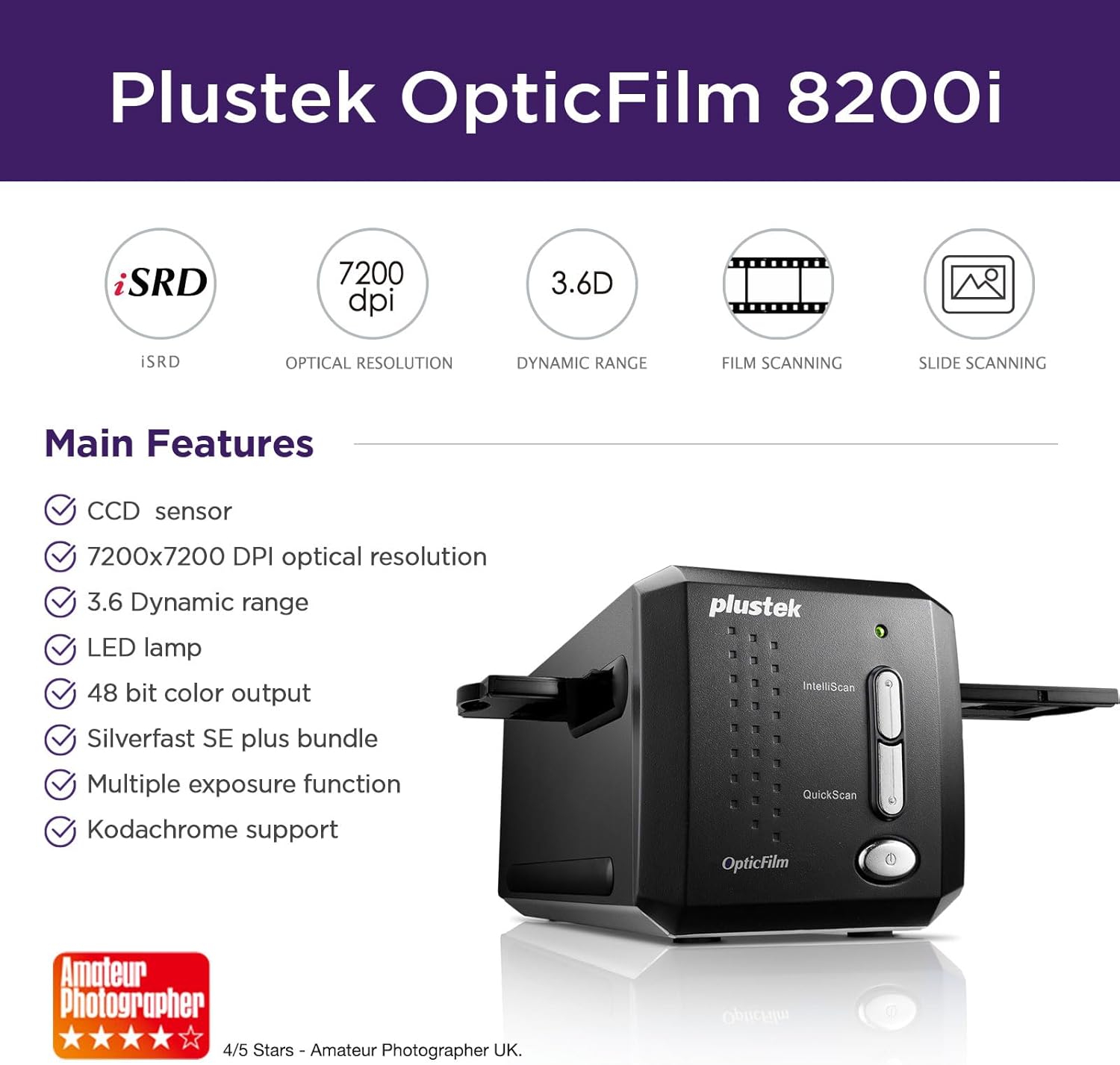
The 8200i SE sits roughly $150–$180 below the 8300i Ai and ships without an IT8 calibration target and without a full SilverFast Ai Studio license — a more limited scanning application is included instead. The optical hardware is closely related to the 8300i Ai, and the filmscanner.info 35mm Film Scanner Resolution Test Database shows resolving-power figures in the same general range. The missing calibration workflow is the real cost: users willing to invest in a separately purchased IT8 target and a SilverFast upgrade license can close most of the gap. Users who want a calibrated-out-of-box experience should budget for the 8300i Ai or explicitly factor in the upgrade cost before purchase.
For a first scanner where the primary goal is getting images off film and onto a screen — not archival color accuracy — the 8200i SE delivers capable optical hardware at a lower entry point. Know the ceiling before you buy.
Plustek
$339.15
In stock on Amazon
Check price on AmazonPlustek OpticFilm 8300i Ai — The Practitioner’s Default
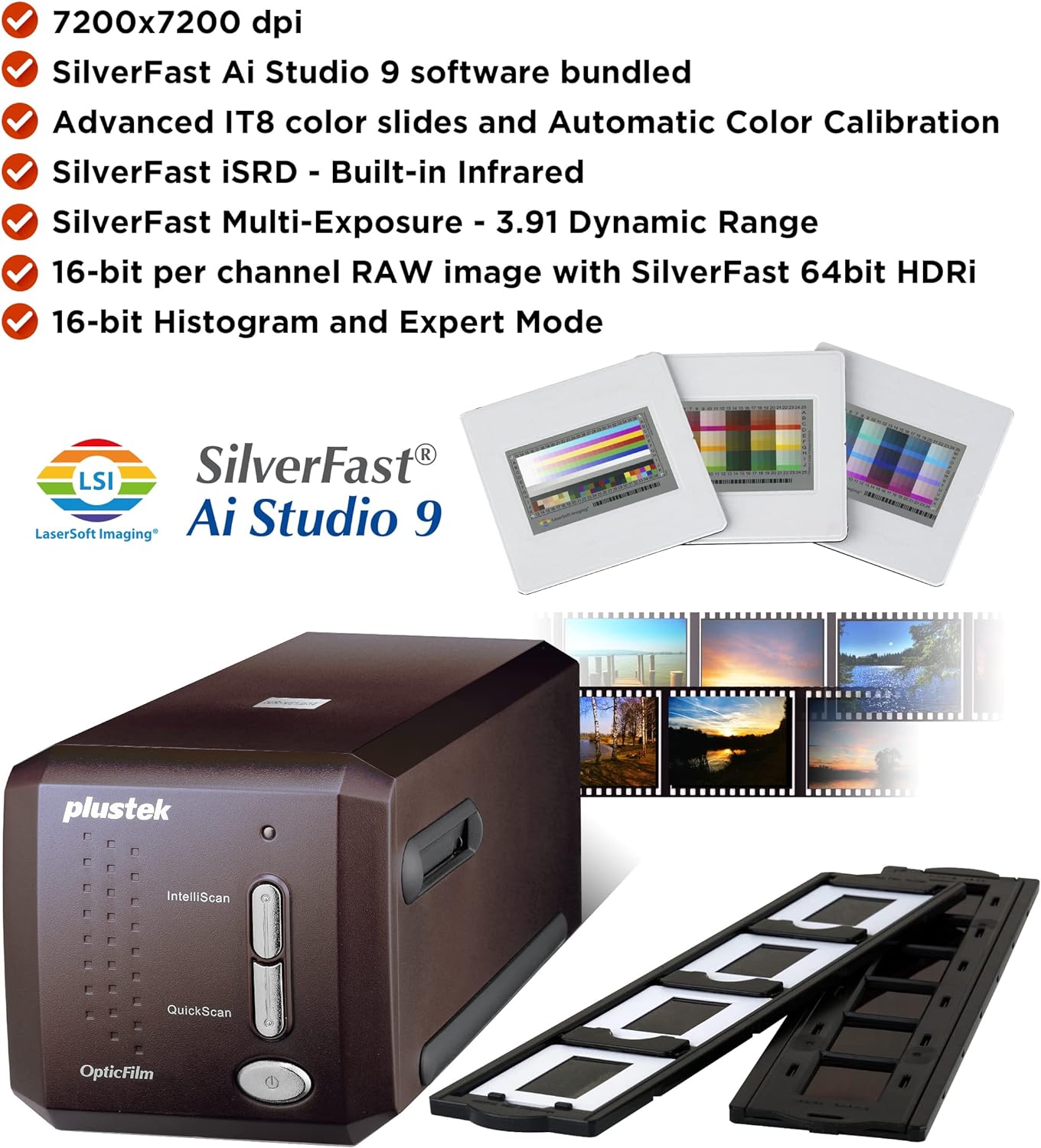
The 8300i Ai is the scanner most intermediate practitioners land on after doing the research, and for good reason. The photopxl.com review of the Plustek OpticFilm 8300i Ai notes that the bundled SilverFast Ai Studio software — a calibration-driven scanning suite, not a basic driver — ships with an IT8 calibration target, which is a standardized color reference card used to profile the scanner’s sensor and bring its color output into alignment with a known standard. That matters in practice: color-correcting a scan that started from a calibrated baseline takes minutes; correcting one that started from an uncalibrated sensor can take hours, especially for film stocks with known color drift over time.
Long-form practitioner coverage consistently highlights three things about the 8300i Ai: sharpness on fine-grain stocks (Kodachrome 25, Ektar 100) is excellent at 3,200 DPI actual capture; the film holder system is stable enough that multi-exposure HDR scanning — running two passes at different exposures and merging them to extend dynamic range — produces usable results; and batch throughput is slow. The scanner processes one frame at a time. At full quality settings, expect roughly 2–4 minutes per frame, which means scanning a 36-exposure roll can take close to two hours with attention required throughout.
The infrared dust-removal caveat is mandatory: the 8300i Ai includes iSRD infrared dust correction, which works by shining an infrared pass over the film and using the resulting map to detect and remove dust digitally. This works well on color negative film and Ektachrome slides. It does not work on Kodachrome. Kodachrome’s dye structure absorbs infrared light, so the IR pass reads the image layers as “dust” and corrupts the scan. If your archive includes Kodachrome, you must disable IR correction and clean film manually. The filmscanner.info 35mm Film Scanner Resolution Test Database documents this infrared incompatibility across all IR-enabled devices — it is a physics constraint, not a Plustek flaw.
Plustek
$449.65
In stock on Amazon
Check price on AmazonEpson Perfection V850 Pro — The Versatility Premium
The V850 Pro is the right answer if your archive is mixed: 35mm negatives, 4 × 5 sheet film, medium-format slides, and prints all in the same collection. The imaging-resource.com Epson Perfection V850 Pro review is thorough on the optical performance ceiling: for 35mm film, real-world resolving power sits below what a dedicated scanner delivers at the same price point. For 4 × 5 sheet film, the equation flips — the large frame area means the V850’s optical quality is more than adequate, and no affordable dedicated sheet-film scanner exists in this price range.
The V850 uses dual-lens optics and can switch between two lens positions depending on format. Third-party wet-mount holders are available for users who want maximum sharpness from flat film. The build is robust enough for semi-professional batch work. Practitioners in long-run coverage report that at 2,400 DPI — well below the 6,400 DPI ceiling — the V850 produces clean, well-exposed scans efficiently. Pushing to 4,800 or 6,400 DPI adds scan time and file size without delivering proportional sharpness gains on 35mm. The premium here is real, but it buys format flexibility, not 35mm resolving power.
Plustek
$539.00
In stock on Amazon
Check price on AmazonThe Hidden Cost Column: Time, Storage, and the “Scan Everything” Trap
Published specs never mention this, but practitioners learn it fast: scanning is time-expensive in a way that doesn’t scale the way digitizing prints does.
At 3 minutes per frame on a dedicated scanner, a 500-frame archive (roughly 14 rolls) takes 25 hours of active attention — loading, checking, unloading. A single 36-exposure roll scanned at 16-bit TIFF (the uncompressed archival format) produces roughly 300–500 MB of data. That 500-frame archive lands at 150–250 GB before any derivative exports.
The Library of Congress digital preservation guidance, published under the title “Sustainability of Digital Formats: Still Image File Format Considerations” and available through loc.gov, recommends 16-bit TIFF as the archival master format and JPEG or JPEG 2000 for derivative access copies — not because TIFF is always the right working format, but because it preserves the full tonal range for future reprocessing as software improves. That guidance is worth reading before you commit to a file-naming and storage structure, because reorganizing 200 GB of scan files after the fact is its own project.
This is why the “scan everything vs. scan the best” decision deserves explicit thought before you buy a scanner:
- Scan everything if the archive is a family collection of unknown historical value — you cannot know which frame contains the irreplaceable moment until you see it
- Scan the best if the archive is a professional or semi-professional photographer’s archive with contact sheets, edits already flagged, and clear selects marked
- Scan a representative sample first in any case — one or two rolls chosen for variety — before committing to a full-archive workflow, so you can validate your color correction process on film stocks you can identify before tackling unknowns
The Decision Frame: If X, Then Y
If your archive is 35mm only, mixed Kodachrome and color negative, and you want calibrated color out of the box: the Plustek OpticFilm 8300i Ai is the clear choice. Budget for the time cost, disable IR correction on Kodachrome frames, and use the bundled IT8 target before your first scan session.
If your archive is mixed format — any medium format, large format, or prints alongside 35mm — the Epson V850 Pro’s versatility premium is real and justified. Accept that 35mm resolving power sits below what a dedicated scanner delivers and plan your workflow accordingly.
If your budget ceiling is firm and 35mm is the only format: the Plustek OpticFilm 8200i SE delivers optical hardware close to the 8300i Ai. Budget separately for a calibration target and a SilverFast upgrade if color accuracy matters for your end use case.
If you are running a batch workflow for a client archive or small institution where throughput matters as much as per-frame quality: no consumer dedicated scanner solves the throughput problem well. At that scale, the honest recommendation is to price out a professional lab or digitization service as a cost-per-frame comparison before buying hardware — because 2–4 minutes per frame plus your labor has a dollar value that often exceeds the per-frame cost of a bureau scan.
The marketing DPI number on the box tells you the scanner’s interpolation ceiling. The optical resolution, the included calibration workflow, and the time-per-frame reality tell you what the scanner actually delivers. Those are the numbers worth buying on.