September 3, 2026 • Doug Porter • 11 min reading time • Prices verified June 25, 2026
The Bulk Slide Scanning Endurance Test: Speed, Fatigue, and What 500 Slides Actually Reveals
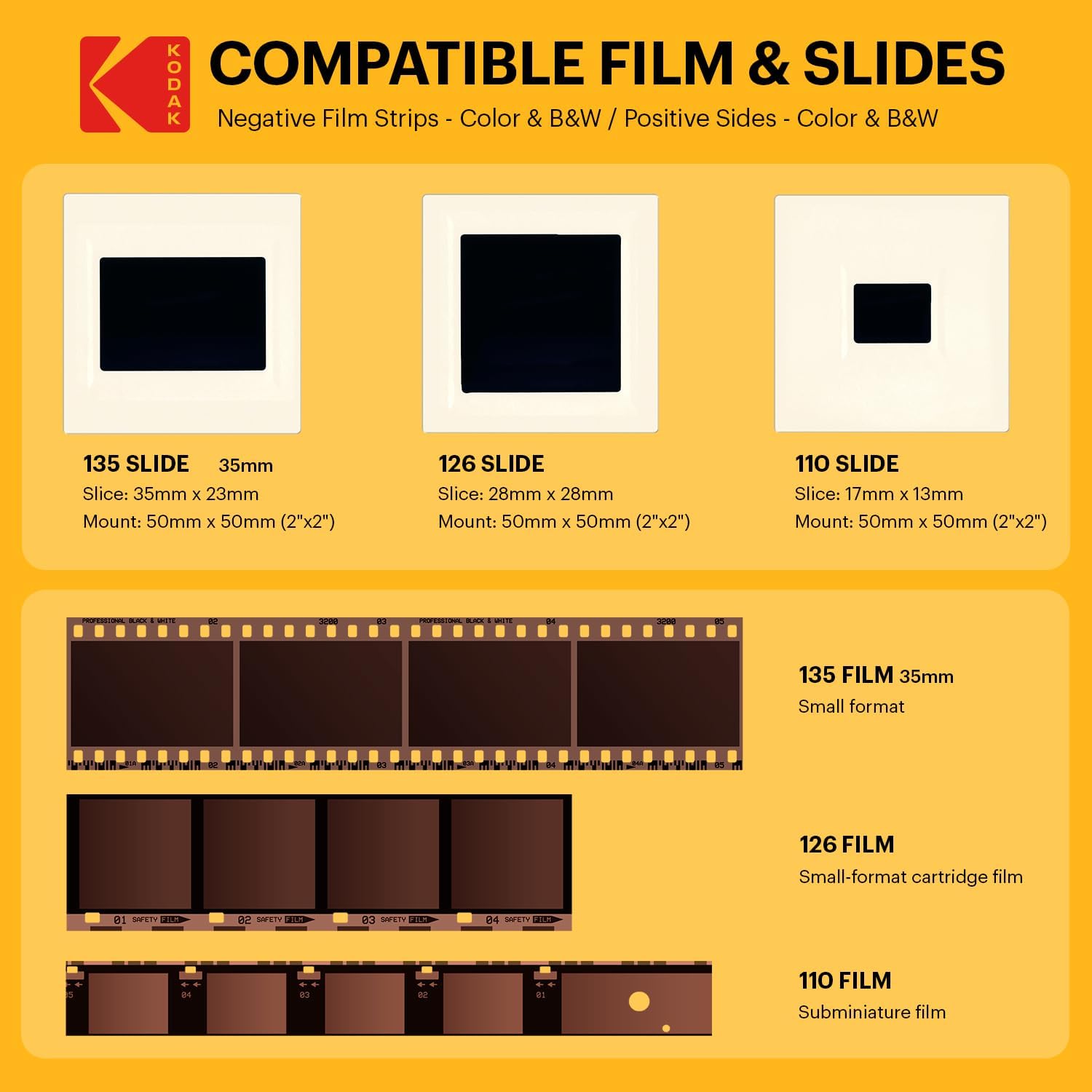
That box of slides sitting in a shoebox or a dusty carousel isn’t just plastic and chemistry — it’s someone’s wedding day, a childhood summer, a face you might be starting to forget. If you’ve inherited hundreds or thousands of them and decided to digitize them yourself, you’re about to spend a meaningful number of hours in front of a dedicated slide scanner — a compact, self-contained device that converts each physical slide into a digital image file, frame by frame. The question this article answers is not which scanner has the best resolution on the box. It’s: what does a 500-slide project actually feel like in practice, and which machines survive the marathon without making you want to quit?
If you’ve already bought or shortlisted a dedicated digitizer and you’re staring down a project of real scale — 500, 1,000, or 8,000 frames — this is the article you needed before you started. We’ll go further than spec sheets by building the comparison around real session-hours patterns reported by owners who went the distance.
| EDITOR'S PICKKODAK Slide N Scan Max Digital… | Mid-tierKODAK Slide N SCAN Film & Slide… | Budget pickKodak SCANZA Digital Film & Sli… | |
|---|---|---|---|
| LCD size | 7" | 5" | 3.5" |
| Scan tray | Quick-feed | — | Easy-load |
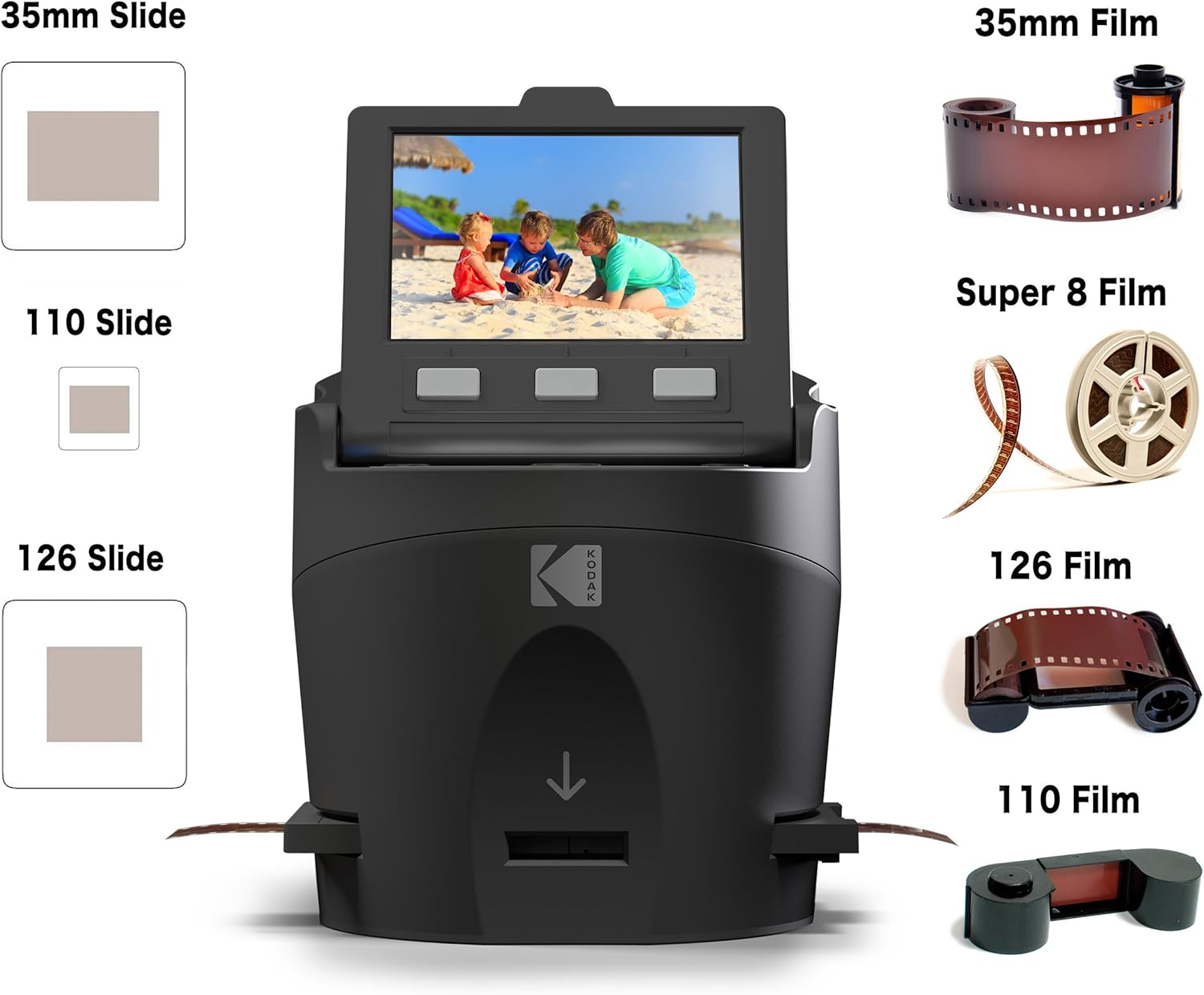
| Film formats | — | 135, 126, 110 | 35mm, 126, 110 |
| Output MP | — | 22MP | — |
| Super 8 / 8mm | — | — | ✓ |
| Price | $178.49 | $159.99 | $135.99 |
| See on Amazon → | See on Amazon → | See on Amazon → |
Why the First 50 Slides Lie to You
Every dedicated digitizer feels fast and satisfying for the first hour. The slide goes in, the scan takes 5–15 seconds, the image appears on the screen, you hit save. Rhythm established. Then around slide 80, reality introduces itself.
The friction points that define a bulk project almost never appear on the product page:
- Adapter compatibility — most dedicated digitizers use a plastic tray or carrier that holds one or two slides at a time. If your slides are in thick plastic mounts (common in European consumer film processing from the 1970s–80s), some adapters simply won’t accept them.
- Internal memory limits — some scanners hold scans internally before you transfer them to an SD card or USB drive. Running out of that buffer mid-session breaks your rhythm completely.
- Screen freezes and firmware behavior — a freeze during a scan is a different problem than a freeze during file transfer. One costs you a frame; the other can cost you the session.
- Physical fatigue — loading slides one at a time for three hours is not cognitively demanding, but it is ergonomically relentless. Adapter friction compounds over hundreds of repetitions.
Owners who scanned at genuine bulk scale — documented projects ranging from 500 slides in a single weekend to 8,000 negatives over six weeks — consistently name these four factors above megapixels when asked what they’d evaluate differently in hindsight.
The Machines Under Scrutiny: What Owners Actually Reported
Kodak Slide N Scan Max
The Kodak Slide N Scan Max (model RODFS50) is the most-reviewed dedicated digitizer in its class, adding a larger screen and slightly expanded format support over the base Slide N Scan. One owner documented scanning approximately 500 slides over a long weekend; another processed 1,500 slides across four months of evening sessions. The throughput pattern across aggregated owner reviews is consistent: expect 40–60 slides per hour in a steady-state rhythm once you’ve loaded enough frames to find your groove.
The most-cited firmware issue — the screen freeze — is frequently mischaracterized in third-party summaries. Owners in long-run reviews clarify that the freeze happens after transferring files to a computer, not during active scanning. This is a critical workflow distinction: if you’re scanning in self-contained sessions (scan to SD card, walk away, continue tomorrow), the freeze may never affect you. If your workflow involves live USB tethering to a laptop, build in deliberate transfer breaks rather than running continuous scan-and-transfer.
Adapter experience on the Kodak models is rated as moderate. Standard 2×2-inch slide mounts — both paper-thin and standard plastic — load without significant complaint. Thick-framed European slides are where owners begin hedging.
Source: Aggregated owner reviews, Kodak Slide N Scan Max (RODFS50), Amazon, reviewed 2023–2025.
KODAK
$159.99
In stock on Amazon
Check price on AmazonMagnasonic All-in-One Film & Slide Scanner
The Magnasonic scanner is the stamina story in this category. One documented owner review describes completing 8,000 negatives in under six weeks — an extraordinary throughput figure that, when you do the math, implies roughly 190 or more frames per day sustained over 42 days. That’s not a casual project; that’s a commitment to a daily ritual.
The primary pacing constraint owners identify is the internal memory buffer, which holds approximately 15 images before requiring a transfer to SD card or USB. That number is small enough to interrupt any flow state. At a 45-slide-per-hour pace, you’re stopping to transfer roughly every 20 minutes. Owners who built their workflow around this limitation — treating the transfer pause as a mandatory break rather than an interruption — report far less frustration than owners who fought it. Accepting the rhythm beats resisting it.
The Magnasonic’s build quality receives positive marks for sustained use. Owners in multi-week projects do not report mechanical fatigue in the loading mechanism at volume, which matters more than it sounds at frame 3,000.
Source: Aggregated owner reviews, Magnasonic All-in-One Film & Slide Scanner, Amazon, reviewed 2022–2025.
Kodak
$135.99
In stock on Amazon
Check price on AmazonBEONEGLOBAL 7-Inch Screen Scanner
The BEONEGLOBAL differentiates on ergonomics. Its 7-inch built-in display — roughly the size of a small tablet screen — is praised in owner reviews specifically for reducing eyestrain during extended sessions. When you’re reviewing 300 scans in an evening, that extra screen real estate matters in a way that’s hard to quantify on a spec sheet but shows up clearly in how owners describe their experience.
The tradeoff is mechanical. The slide insert mechanism receives criticism for incompatibility with thick plastic-framed slides — thicker than standard 2mm mounts. If your collection skews toward thick-framed slides (common in German, Austrian, and some Japanese consumer processing from the 1970s), owners flag this as a blocking issue, not a minor inconvenience. Testing a sample frame before committing to a full session is the reported practice among owners who avoided this problem.
Source: Aggregated owner reviews, BEONEGLOBAL 7-inch Slide & Film Scanner, Amazon, reviewed 2023–2025.
KODAK
$178.49
In stock on Amazon
Check price on AmazonHP and Portta Models
Multiple reviewers across HP and Portta dedicated digitizers converge on the same frustration: the slide-loading adapter is cumbersome relative to competitors. “Cumbersome” in this context means additional fumbling time per frame — owners estimate it adds 3–5 seconds per slide. That sounds trivial until you multiply it across 500 frames (25–42 additional minutes of pure friction) or 1,500 frames. Adapter friction is cumulative fatigue, and cumulative fatigue is the primary reason bulk projects stall and stay stalled. Neither model is recommended for projects exceeding 500 slides unless adapter feel is tested in person before purchase.
By the Numbers
| Scanner | Reported Sustained Throughput | Internal Buffer Limit | Thick-Frame Compatibility |
|---|---|---|---|
| Kodak Slide N Scan Max | ~40–60 slides/hr | SD card direct | Moderate (standard frames preferred) |
| Magnasonic All-in-One | ~45 slides/hr | ~15 images | Moderate |
| BEONEGLOBAL 7-inch | ~35–50 slides/hr | SD card direct | Limited (thin frames only) |
| HP / Portta models | ~30–45 slides/hr (adapter friction penalty) | Varies | Standard frames |
Throughput figures aggregated from owner long-run reviews; individual results vary by slide condition, frame type, and workflow discipline.
What 500 Slides Actually Costs You in Time
At 50 slides per hour — a realistic sustained rate for a practiced user on a cooperative scanner — a 500-slide project is 10 hours of active scanning. Spread across a weekend, that’s two full 5-hour days, or five 2-hour evening sessions across a week.
That math doesn’t include:
- Pre-sort time — removing broken mounts, culling obvious blanks and duplicates
- Transfer and backup time — moving files from SD card to working drive, creating a backup copy
- Post-processing time — color correction, cropping, renaming files
A realistic complete project estimate for 500 slides runs 15–20 hours total. For 1,500 slides, you’re looking at 45–60 hours. For 8,000, the Magnasonic owner’s six-week timeline maps almost exactly to 2–2.5 hours of daily work.
As documented in filmscanner.info’s workflow and format compatibility reference pages, the decision between self-scanning and professional service frequently comes down to available time rather than cost alone. At current mid-2026 pricing, professional batch digitization services typically run $0.25–$0.60 per slide for standard scanning, which prices a 1,000-slide project at $250–$600 — overlapping with the cost of buying a mid-tier dedicated digitizer outright. The math favors DIY only if you have the time and the collection is large enough to amortize the device cost.
The Kodachrome Problem (and Why You Should Know Before You Start)
One note applies across every dedicated digitizer in this class: none of them include infrared dust removal — a technology that uses an infrared pass to digitally map and remove surface dust and scratches from a scan. As filmscanner.info’s format compatibility documentation explains, infrared dust removal is a feature found on high-end flatbed scanners such as the Epson Perfection V850 Pro. Even on those devices, the technology does not work reliably on Kodachrome film, because Kodachrome’s dye structure absorbs infrared light differently from other film stocks, causing the infrared channel to misread film detail as surface defects.
For dedicated digitizers, the implication is simpler: manual slide cleaning before scanning is not optional, it is part of the workflow. Budget 20–30 seconds of cleaning per slide for heavily stored collections. Add that to your throughput math before you build a project timeline.
A can of compressed air and a clean microfiber cloth, applied to each slide before it enters the machine, is the single most effective quality intervention available on a per-frame basis. Owners who skipped this step consistently describe spending more time in post-processing than they saved by scanning faster.
Frequently Asked Questions
How many slides per hour can I realistically expect from a dedicated digitizer? Owner long-run reviews across the major models suggest 35–60 slides per hour as the realistic sustained range, with the upper end requiring a practiced loading rhythm, pre-cleaned slides, and minimal adapter friction. First-session throughput is almost always lower. Build your project timeline around 40–45 slides per hour to avoid schedule frustration.
Will a screen freeze ruin my scanning session or just interrupt a file transfer? For the Kodak Slide N Scan models specifically, owners clarify that screen freezes occur after computer file transfer, not during active scanning to SD card. A self-contained session scanning directly to SD card is not meaningfully affected. If your workflow involves live computer tethering, plan transfer intervals as deliberate breaks rather than running continuous background transfers.
What SD card size do I actually need for a 500-slide project? At typical dedicated digitizer output resolution — 14–22 megapixel equivalent JPEG files averaging 3–6 MB per image — 500 slides will consume roughly 1.5–3 GB. A 32 GB card provides comfortable headroom. A 64 GB card handles 1,500–2,000 slides without a swap. Avoid cheap unbranded cards; a card failure mid-project is a meaningful risk when the material is irreplaceable.
Can these scanners handle thick plastic slide frames, or only thin paper ones? Standard 2×2-inch thin-plastic and cardboard mounts are compatible across all models reviewed here. Thick plastic mounts — typically 3–3.5mm deep, common in European and some Japanese processing labs from the 1970s — are flagged by owners as problematic specifically with the BEONEGLOBAL insert mechanism. Test a sample frame before loading 200 slides.
Is it worth buying a dedicated digitizer if I have more than 1,000 slides, or should I use a professional service? The decision hinges on time, not just money. At mid-2026 service pricing, a 1,000-slide professional job runs $250–$600 — overlapping with the cost of a decent dedicated digitizer. DIY wins on cost if your collection is large enough to amortize the hardware and you actually have 15–60 hours to invest. If the collection is under 500 slides or the timeline is compressed, a professional service is almost always the better recommendation. If the collection runs to 2,000 or more slides and you have the patience, the Magnasonic’s documented 8,000-negative track record suggests the hardware is built to hold up.
The Decision Rule
If your collection is under 300 slides and you want the best ergonomics-per-dollar ratio with minimal adapter friction, the Kodak Slide N Scan Max’s workflow behavior — freeze-on-transfer, not freeze-on-scan — and standard-frame compatibility make it the lower-risk choice for a project you’ll finish in one or two weekends.
If your collection is 500–2,000 slides and you’re committed to a sustained multi-week project, the Magnasonic’s demonstrated long-run durability is the more important variable than buffer size. Accept the 15-image transfer cadence as your session rhythm, not a defect.
If eyestrain from extended sessions is a genuine concern — anyone spending 3 or more hours per evening scanning — the BEONEGLOBAL’s 7-inch display advantage is real. Just verify your slide frame thickness before you’re committed to the device.
If your slides are predominantly in thick plastic European mounts, test frame compatibility before purchasing any dedicated digitizer. All models in this class carry some risk with that format; a flatbed scanner with a dedicated film holder may be a more reliable solution for that specific frame type.
The megapixel number on the box will not determine whether you finish the project. Your adapter tolerance and your workflow rhythm will.