July 3, 2026 • Doug Porter • 10 min reading time • Prices verified June 25, 2026
Plustek OpticFilm 8100, 8200i, 8300i, and 135i: Which 35mm Scanner Is Right for Your Volume and Budget
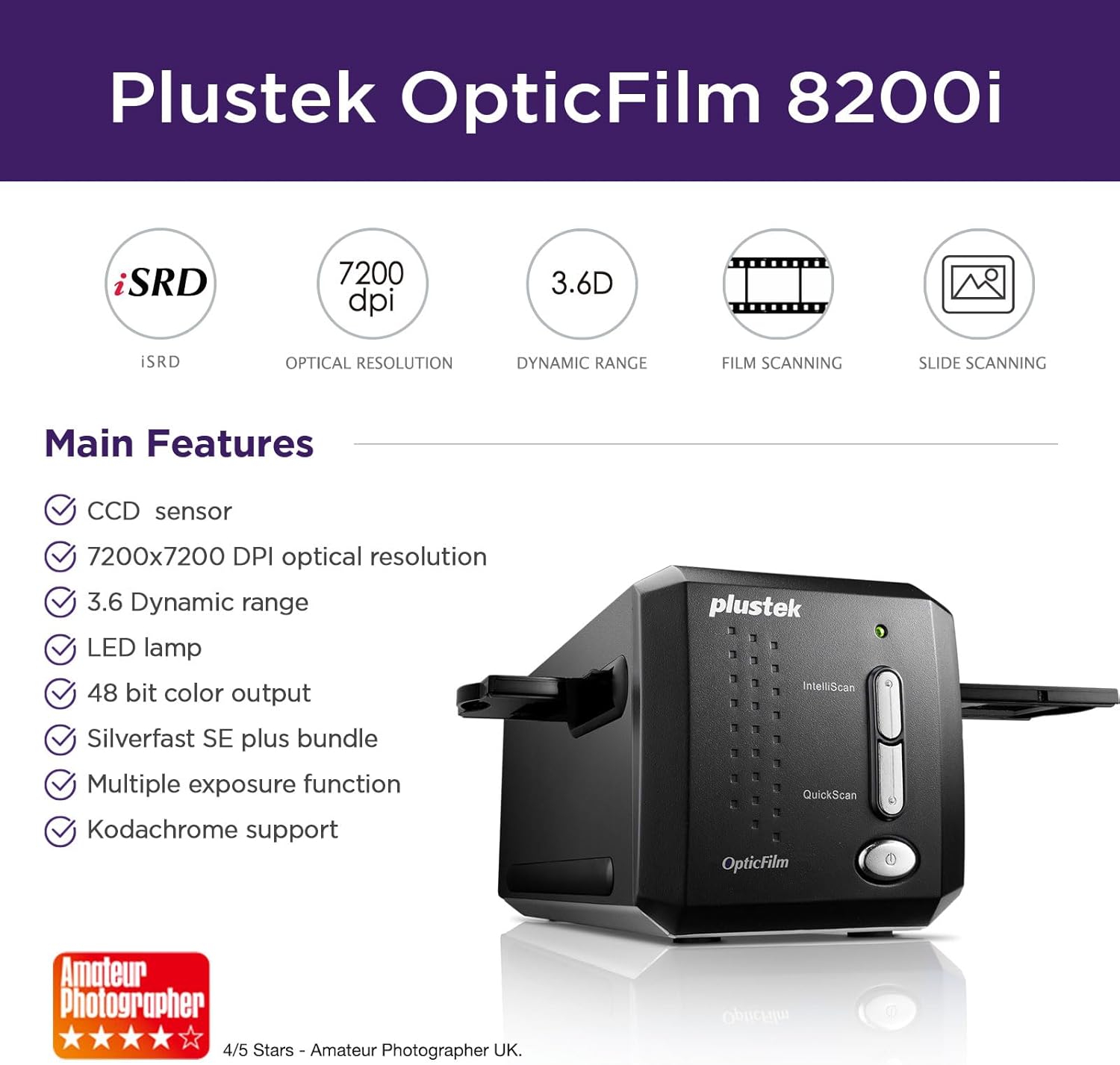
That box of 35mm slides or negatives sitting on your desk right now isn’t just film — it’s someone’s wedding, someone’s childhood, someone’s proof that a particular afternoon existed. Getting those images off celluloid and onto a hard drive is the goal, but the path there runs straight through a confusing product lineup from one of the few manufacturers still making dedicated 35mm film scanners — hardware built specifically for scanning film, as opposed to a general flatbed scanner that handles documents and photos. Plustek’s OpticFilm series dominates this space at the mid-to-premium prosumer level, and if you’ve spent more than twenty minutes researching, you’ve already encountered the four models that matter: the 8100, 8200i SE, 8300i Ai, and 135i. This article maps the honest tradeoffs between them — quality, speed, software friction, and batch capacity — so you can match the right scanner to your actual workflow.
The Lineup at a Glance: What Actually Separates These Four Models
Plustek’s naming convention is more meaningful than it looks. The number roughly tracks capability; the “i” suffix indicates infrared hardware is included (critical for automatic dust and scratch detection); “Ai” signals the most advanced version of that infrared system; and the 135i is an entirely different product category — an auto-feed batch scanner built for high-volume projects.
| Model | Optical Resolution | Infrared Dust Removal | Bundled Software | Autofeed |
|---|---|---|---|---|
| OpticFilm 8100 | 7200 dpi | No | SilverFast SE 9 | No |
| OpticFilm 8200i SE | 7200 dpi | Yes (iSRD) | SilverFast SE Plus 9 | No |
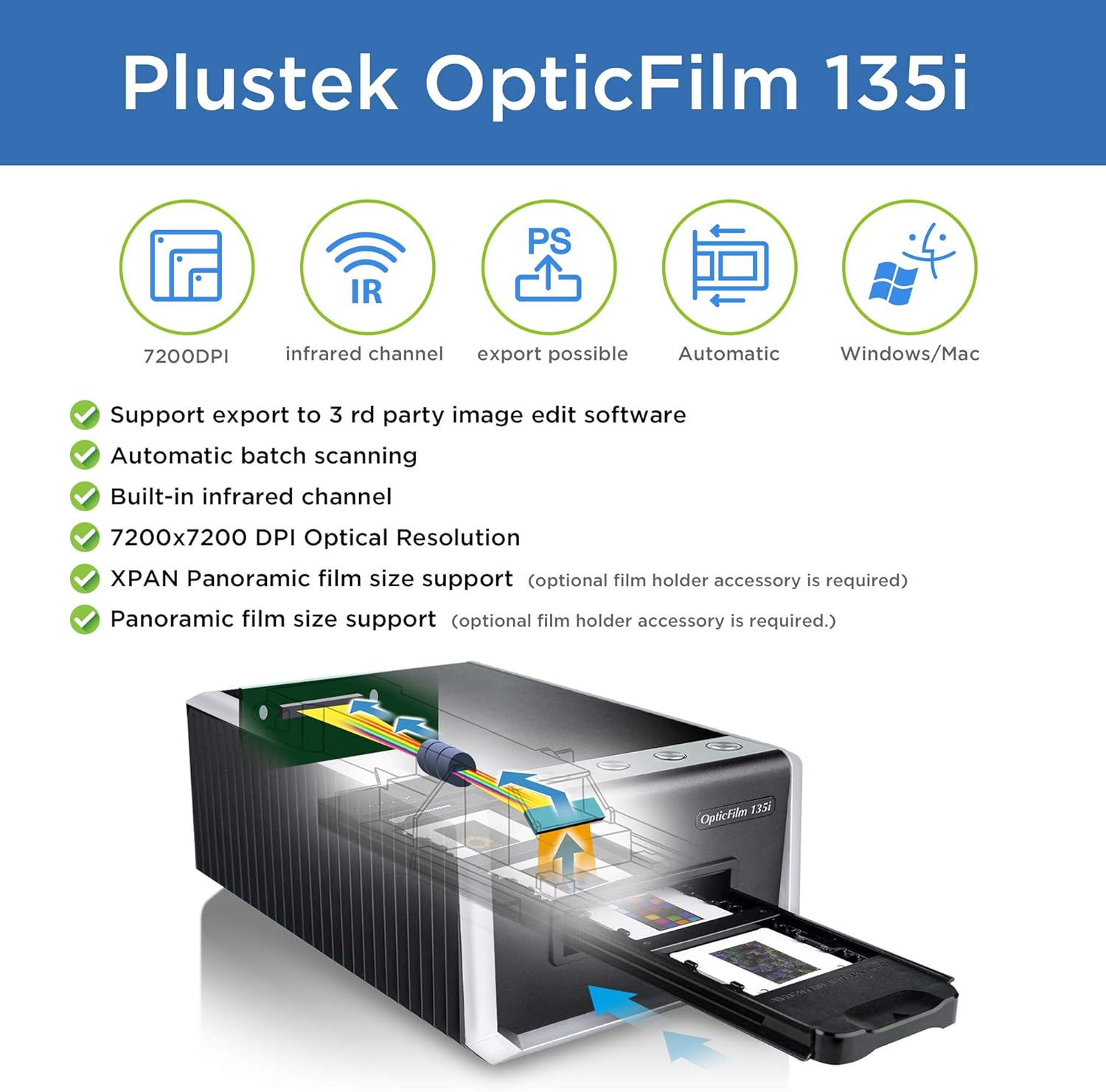
| OpticFilm 8300i Ai | 7200 dpi | Yes (iSRD + AI) | SilverFast Ai Studio 9 | No |
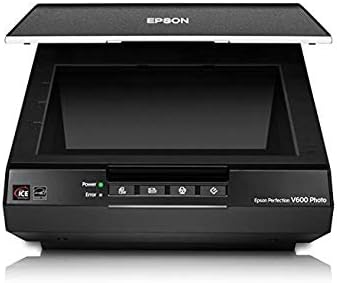
| OpticFilm 135i | 3600 dpi | Yes (iSRD) | SilverFast SE Plus 9 | Yes (50-frame) |
A clarification that reviewers at filmscanner.info emphasize across their Plustek coverage: all three manual-load models share the same 7200 dpi optical resolution ceiling, while the 135i caps at 3600 dpi. “Optical resolution” means the sensor can genuinely resolve that many dots per inch of film detail — as opposed to interpolated DPI, a software-inflated figure that produces larger files without capturing more real detail. For 35mm film, most of what matters to the naked eye lives between 2000 and 4000 dpi; 7200 is a ceiling you’ll approach only for fine-art enlargements or severely cropped frames.
Three Scanner Tiers, Three Different Problems to Solve
The 8100 and 8200i SE: Entry Points With Real Capability
Plustek
$339.15
In stock on Amazon
Check price on AmazonThe OpticFilm 8100 is the no-infrared baseline. It produces scans that owners consistently describe as sharp and well-exposed under normal conditions, but without hardware-based dust detection, every speck of dust on your film appears as a white spot in the final scan. You remove those artifacts manually in editing software afterward. For someone scanning a modest archive — a few hundred frames — that’s annoying but manageable. For anyone above that volume, it becomes a serious time tax.
The OpticFilm 8200i SE adds iSRD (infrared Smart Removal of Defects), Plustek’s implementation of the IT-8 infrared channel. In plain English: the scanner makes a second invisible-light pass over each frame; dust and scratches absorb infrared differently than the film base does, so the software detects and blends them out automatically. Imaging-resource.com’s overview of the Plustek OpticFilm line notes consistently positive owner sentiment toward the 8200i SE’s scan quality, while also flagging SilverFast’s learning curve as the primary friction point for new users.
A practical workaround that experienced users recommend: if you already have a preferred editing workflow in Lightroom or Capture One, use SilverFast only for raw scan acquisition and skip the more complex color correction features inside it until you’re comfortable. You’re not leaving value on the table — you’re just not doubling your learning curve unnecessarily.
Critical infrared limitation that listing pages rarely volunteer: infrared dust removal does not work on Kodachrome. Kodachrome is a specific slide film type (discontinued in 2010, famous for its vivid color saturation) whose dye structure absorbs infrared light in a way the scanner’s sensor cannot distinguish from dust. Enable iSRD on Kodachrome and you get smearing artifacts rather than clean dust removal. Every Plustek model with infrared is equally affected. If your archive is Kodachrome-heavy, infrared removal is still worth having for your non-Kodachrome material — just know you’ll handle Kodachrome frames manually or outsource them.
Plustek
$339.15
In stock on Amazon
Check price on AmazonThe 8300i Ai: Where Real Divergence Happens
Plustek
$449.65
In stock on Amazon
Check price on AmazonThe OpticFilm 8300i Ai is the model that generates the most polarized owner feedback in the Plustek lineup, and understanding why matters before you commit.
What the 8300i Ai adds over the 8200i SE is the “Ai” layer — an AI-assisted dust and scratch removal algorithm layered on top of the standard infrared pass — along with an upgrade to SilverFast Ai Studio 9, the highest edition of the bundled software. The photopxl.com dedicated film scanner buyer’s guide notes that AI-assisted restoration tools have matured significantly in recent years, and owner reports confirm the best-case scenario: users with collections of severely aged slides describe the AI dust removal as transformative, producing clean results with minimal post-processing effort.
The other scenario also exists. A meaningful minority of owners document persistent inconsistency in scratch removal results, with some requiring extended troubleshooting before achieving reliable output. The inconsistency appears tied to unit-level variation in infrared sensor calibration rather than a universal design flaw — but it is real, and it means you should purchase from a retailer with a clear return window and document your results during the first two weeks of ownership.
The verdict from aggregated review patterns across imaging-resource.com and photopxl.com coverage: the 8300i Ai is the right choice if AI-assisted dust removal is central to your workflow and you’re scanning non-Kodachrome material at moderate volume. It is not a set-and-forget solution, and it rewards users who run test batches and adjust settings before committing to a full archive run.
Plustek
$449.65
In stock on Amazon
Check price on AmazonThe 135i: Batch Efficiency at a Resolution Tradeoff
Epson
$1,120.66
In stock on Amazon
Check price on AmazonThe OpticFilm 135i is a different tool solving a different problem. Its autofeed mechanism accepts a 50-frame strip loader, advances frames automatically, and keeps scanning while you do something else. For someone tackling 1,400 slides — a figure that comes up repeatedly in long-run owner accounts — the hands-free batch capacity is the deciding factor, not the resolution ceiling.
The 3600 dpi optical ceiling does matter in specific contexts. At 3600 dpi, you’re producing scans that print beautifully up to roughly 8×10 inches and hold up well at 11×14. For social sharing, family archive distribution, and standard print sizes, 3600 dpi is entirely sufficient. For fine-art enlargements above 16×20, or for frames you plan to crop heavily, the 8300i Ai’s 7200 dpi ceiling becomes relevant. The luminous-landscape.com film scanning workflow discussions reflect this tradeoff clearly: the 135i trades maximum resolution for meaningful time savings, and for the majority of archival use cases, that is the correct trade to make.
The documentation situation on the 135i is sparse — multiple owners flag this directly. The autofeed mechanism is not hands-free in the sense of requiring zero supervision. Film strips must be loaded correctly into the carrier, and the mechanism can misfeed on warped or curled film common in older slide mounts. Users tackling large batches recommend a supervised run on the first 10–15 frames of any new film strip type to confirm the feed is tracking cleanly before stepping away. Even with occasional monitoring, the time savings over manual single-frame scanning are substantial for archives in the four-digit frame count.
Epson
$1,120.66
In stock on Amazon
Check price on AmazonThe SilverFast Licensing Reality: What No One Reads Until It Surprises Them
This deserves its own section because it catches buyers off guard consistently. SilverFast — the scanning software bundled with every Plustek OpticFilm model — is device-locked. The license is tied to the specific scanner serial number it shipped with. Per LaserSoft Imaging’s official SilverFast 9 Edition Comparison documentation, a SilverFast license purchased with or for one scanner does not activate on a second scanner without purchasing an additional license. This is LaserSoft’s licensing structure, not a Plustek policy.
Practical implications: if you own a Plustek and a flatbed scanner from another brand, the SilverFast copy bundled with your Plustek will not run on the flatbed. If you upgrade to a newer Plustek model, your old SilverFast license does not transfer. Factor this into total cost of ownership before comparing sticker prices.
The edition differences in plain language, per LaserSoft Imaging’s own edition comparison chart:
- SilverFast SE 9 — Basic scanning with auto-exposure and standard color correction. Bundled with the 8100.
- SilverFast SE Plus 9 — Adds multi-exposure HDR scanning (merges multiple passes to recover shadow and highlight detail) and improved batch tools. Bundled with the 8200i SE and 135i. The step from SE to SE Plus matters more for most users than any other single upgrade in the lineup.
- SilverFast Ai Studio 9 — Adds AI-based defect removal, advanced color calibration tools including IT-8 target support, and full batch automation. Bundled with the 8300i Ai.
The photopxl.com SilverFast software analysis notes that SE Plus’s multi-exposure mode is genuinely useful for underexposed or high-contrast film — frames that would otherwise require heavy manual lifting in post-processing benefit measurably from the merged-pass approach.
Frequently Asked Questions
Does SilverFast work with my existing flatbed scanner, or is it locked to the Plustek I buy it with? It is locked to the specific device it’s licensed for. Per LaserSoft Imaging’s official licensing documentation, a SilverFast license does not activate on any scanner other than the one it was issued for. Each device requires its own license purchase.
What is the realistic timeline to scan 500 slides on a manual-load model? A single-frame scan at high resolution with dust removal enabled runs approximately 3–5 minutes per frame including load time, software preview, and file save. Five hundred slides at a 4-minute average equals roughly 33 hours of active scanner time. Spread across evenings and weekends, that translates to several weeks of real-world project time. The 135i cuts active attention time significantly; total scan time per frame is similar, but the scanner runs unattended for extended stretches.
Does the 8300i Ai’s AI dust removal work reliably or is it variable? Based on aggregated owner accounts across imaging-resource.com and photopxl.com coverage, the most accurate description is “variable by unit and by film type.” The majority of owners report good to excellent results; a meaningful minority report persistent issues requiring troubleshooting. Purchase with a return window and run a test batch in the first two weeks.
Can I connect any of these Plustek scanners to a modern MacBook with only USB-C ports? Yes, but not with a passive USB-C-to-USB-A adapter. Reviewers and owners consistently document that Mac USB-C connectivity requires a powered USB hub as the intermediary. A direct passive adapter frequently causes the scanner to fail initialization or drop mid-scan. A powered hub in the $25–$50 range resolves this reliably.
Is the 135i autofeed genuinely hands-free? It requires supervised setup and occasional monitoring, particularly for warped or older film stock. “Hands-free” accurately describes the scanning operation itself once a clean feed is established — but owners tackling large batches recommend watching the first 10–15 frames of any new film strip to confirm feed tracking before stepping away.
The Decision Rule
Under 300 frames, limited budget: The 8100 delivers real film-scanner quality without the cost of infrared hardware you may not need at this volume. Manual dust removal is a manageable time cost at this scale.
300–800 frames of mixed film stock (not Kodachrome-dominant): The 8200i SE is the sweet spot. Infrared dust removal changes per-frame workload meaningfully, and SE Plus’s multi-exposure mode rescues underexposed frames that would otherwise be partial write-offs.
AI-assisted restoration is central to your workflow, primarily non-Kodachrome material: The 8300i Ai is worth the premium — with the firm caveat to buy from a retailer with a solid return policy and verify your unit’s infrared performance in the first two weeks of ownership.
1,000+ frames and time is the binding constraint: The 135i’s autofeed changes the math entirely. Its 3600 dpi ceiling is sufficient for every practical use case short of wall-sized fine-art enlargements, and the time you buy back on a large archive is the real product you’re purchasing.