July 11, 2026 • Doug Porter • 11 min reading time • Prices verified June 25, 2026
Flatbed Scanners for Film Restorers: V550, V600, V800, and V850 Pro Put in Their Place
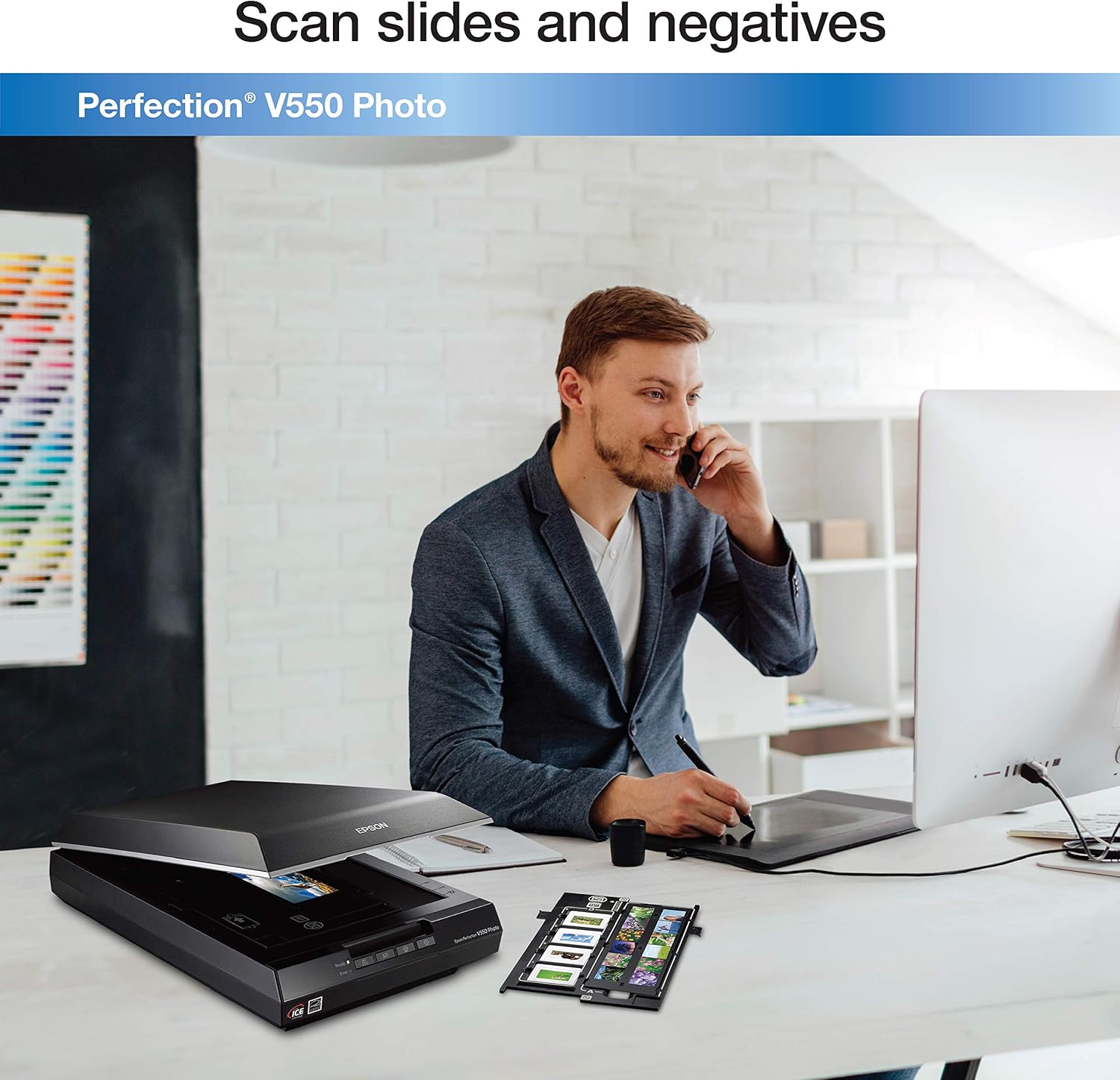
That box of slides sitting on your shelf isn’t just old plastic and acetate — it’s a wedding your grandparents nearly missed, a first birthday, a summer your parents still argue about. A flatbed scanner is the machine that turns those fragile originals into permanent digital files you can share, print, and pass down. “Flatbed” just means the scanner has a flat glass bed you lay material on, with a moving light source underneath — the same category of hardware you might remember from office photocopiers, but purpose-built here for film. Epson makes four models that film restorers consistently reach for: the V550, V600, V800, and V850 Pro. They look almost identical in photos and share the Epson brand name, so the differences get blurred. This article separates them clearly: what each one actually does, where the marketing language misleads, and — for readers with a real scanning project in front of them — a plain decision rule at the end.
| EDITOR'S PICKEpson Perfection V850 Pro Scann… | Mid-tierEpson Perfection V600 Photo Wir… | Budget pickEpson Perfection V550 Color Pho… | |
|---|---|---|---|
| Max Resolution | — | 6400 x 9600 dpi | 6400 dpi |
| Max Print Size | — | 17" x 22" | — |
| Connectivity | — | Wired USB | — |
| Film Scanning | — | — | ✓ |
| Price | $1,479.00 | $1,120.66 | $998.00 |
| See on Amazon → | See on Amazon → | See on Amazon → |
What These Four Scanners Actually Are (and Where They Sit)
Epson markets all four as “film-capable” flatbeds with high DPI (dots per inch — the number of individual detail samples the sensor captures per inch of film). But as filmscanner.info’s ongoing analysis of Epson flatbed resolution and film holder performance documents, optical DPI and advertised DPI are different numbers. All four scanners are rated at 6,400 DPI on the box. In practice, optical resolution — what the lens and sensor can actually resolve before software starts interpolating (guessing) pixels — tops out meaningfully lower. The V550 and V600 deliver usable optical resolution closer to 1,200–1,600 DPI for 35mm film; the V800 and V850 Pro push closer to 2,000–2,400 DPI with their dual-lens system, which uses two separate optical paths that switch depending on the media size. For 35mm negatives and slides, that gap matters enormously for large print output. For 4×5 sheet film or medium-format 120 film, where the source material is physically larger, the V550 and V600 perform better relative to their resolution ceiling.
The practical sorting is this:
- V550 — entry flatbed with basic film capability
- V600 — discontinued mid-tier with a better film kit than the V550
- V800 — prosumer dual-lens workhorse with professional film holders
- V850 Pro — near-identical hardware to the V800 with one meaningful addition
The V550 and V600: What “Film-Capable” Actually Means Here
V550: The Digital ICE Light Trap
The V550 is the most commonly misunderstood scanner in this lineup. The core confusion is this: the V550 includes Digital ICE Light, not full Digital ICE.
Here is why that matters. Digital ICE (Image Correction and Enhancement) is a hardware-level dust and scratch removal system. It uses an infrared light pass alongside the color scan to map physical defects on the film surface, then removes them automatically. Full Digital ICE works on color negatives, color slides, and black-and-white negatives. Digital ICE Light on the V550 works on negatives only — it does not apply to prints or slides. Buyers who discover this after purchase consistently flag that Epson’s product description was genuinely unclear on this point. If you are scanning a mixed collection that includes slides or prints, Digital ICE Light delivers less than the name implies.
A second limitation affects all four scanners equally: Kodachrome film — the warm, richly saturated slide stock popular from the 1940s through the 1980s — cannot use any Digital ICE-based dust removal, regardless of scanner model. Kodachrome’s unique dye layers absorb infrared light the same way a scratch or dust particle does, so the infrared pass produces false corrections. This is a film chemistry issue, not a scanner flaw. Photopxl.com’s coverage of film-specific scanning workflows identifies this as one of the most important facts for anyone digitizing vintage slide collections to understand before choosing any scanner. Kodachrome requires manual dust removal in software post-scan, on every scanner in this comparison.
Epson
$998.00
In stock on Amazon
Check price on AmazonV600: A Better Tool That’s No Longer Made
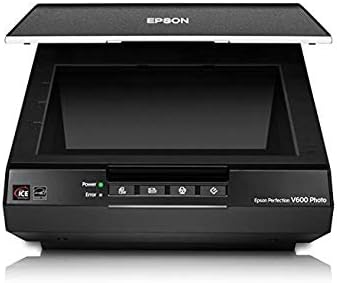
The V600 outperforms the V550 on film in two concrete ways: it ships with a more complete set of film holders, including a strip holder for 35mm and a mounted-slide holder, and it includes full Digital ICE rather than the Light version. For buyers who found the V600 at retail between 2015 and roughly 2024, it represented a genuine step up for the price. Imaging-resource.com’s published review of the Epson Perfection V600 Photo remains one of the more thorough assessments of that scanner’s strengths and documented its value during its active production run.
The complication: as of 2025–2026, the V600 has been discontinued by Epson. New old-stock and refurbished units still appear through third-party sellers, but without manufacturer warranty support and with an uncertain supply horizon. If you are evaluating a V600 purchase today — mid-2026 — the questions to ask are: is this new old-stock or used? What is the return window? Is firmware still supported? The sensor hardware itself does not expire, and owners who have units in good working order report no functional issues. But buying a discontinued product as your primary tool for a large archival project carries real risk if the unit fails two years in. The V800 is the natural current-production replacement at a higher price.
Epson
$1,120.66
In stock on Amazon
Check price on AmazonThe V800 and V850 Pro: The Dual-Lens Difference
Both the V800 and V850 Pro are serious pieces of hardware aimed at archivists, semi-professional photographers, and anyone digitizing hundreds to thousands of frames before deterioration claims them. Luminous-landscape.com’s comparative writing on flatbed versus dedicated film scanner optical resolution is useful context here: the V800 and V850 Pro represent the ceiling of what a flatbed can deliver optically, and for medium-format 120 film — a larger negative format used by many professional photographers from the 1950s onward — they are genuinely competitive with dedicated film scanners at two to three times the price.
The dual-lens system — one optical path optimized for 35mm and smaller, one for medium-format and larger — is what separates these two models from the V550 and V600. You switch between lenses via a physical dial. Both paths operate at higher effective optical resolution than the consumer-tier models, and the included film holders, calibrated for precision film flatness, are noticeably more rigid than those in the V550 and V600 kits.
V800: The Working Archivist’s Baseline
The V800 is the current-production workhorse of this lineup. It handles 35mm, 120 medium format, and 4×5 sheet film without requiring accessories sourced separately. B&H Photo Video’s product specifications and listing for the Epson Perfection V800 confirm the included holder set covers all three film sizes out of the box. For an archivist digitizing a family or estate collection spanning multiple decades and multiple camera formats, the V800 is the correct starting point. Its optical hardware is identical to the V850 Pro’s — the sensor, lenses, lamp, and firmware are the same between the two models. At an approximate 2026 MSRP of $800, it delivers the full dual-lens optical performance without paying for accessories you may not need.
Epson
$1,120.66
In stock on Amazon
Check price on AmazonV850 Pro: When the Upgrade Actually Matters
The V850 Pro adds one meaningful hardware distinction over the V800: anti-Newton ring glass in its film holders. Newton rings are the faint, circular interference patterns that appear when a film strip sits too close to the scanner glass surface. They are most common with mounted slides and thin film stocks. The treated glass inserts in the V850 Pro’s holders prevent this artifact. Owners scanning primarily loose negatives or strip film report that the standard V800 holders cause minimal Newton ring problems in practice. Owners scanning large numbers of mounted slides more consistently flag it as a quality-of-life issue where the V850 Pro holders provide measurable relief.
Photopxl.com’s analysis of the V850 Pro frames the upgrade honestly: the scanner hardware is identical between the two models, and the V850 Pro is essentially the V800 with a better-equipped accessory kit and a higher-tier SilverFast software bundle. At an approximate 2026 MSRP of $1,050, the $250 premium over the V800 buys those holders and that software tier — not better optics.
By the numbers:
| Feature | V550 | V600 | V800 | V850 Pro |
|---|---|---|---|---|
| Dual-lens system | No | No | Yes | Yes |
| Digital ICE version | Light (negatives only) | Full | Full | Full |
| 120 film holders included | No | No | Yes | Yes |
| Anti-Newton ring glass holders | No | No | No | Yes |
| Current production status | Active | Discontinued | Active | Active |
| Approximate 2026 MSRP | ~$200 | N/A (discontinued) | ~$800 | ~$1,050 |
Epson
$998.00
In stock on Amazon
Check price on AmazonEpson
$1,120.66
In stock on Amazon
Check price on Amazon
Epson
$1,479.00
In stock on Amazon
Check price on AmazonSilverFast vs. Epson Scan 2: The Workflow You’ll Actually Use
Both SilverFast (third-party software sold separately or bundled at different tier levels) and Epson Scan 2 (the free native driver) can drive all four of these scanners. SilverFast’s marketing is aggressive and the bundled versions on the V800 and V850 Pro carry real perceived value, so this deserves a direct answer.
The honest pattern across long-run owner experience: users who rely on Epson’s native software or their own editing software consistently report smoother, faster workflows. SilverFast is powerful — its iSRD infrared dust removal implementation and its IT8 color calibration workflows are genuinely sophisticated tools. But it carries a steep learning curve, a non-intuitive interface, and a scan speed overhead that owners processing large collections in batch mode find punishing. For archivists working through hundreds of frames, the practical math often favors Epson Scan 2 for raw acquisition and a dedicated raw processor — Lightroom, Capture One, or DaVinci Resolve Studio — for color correction downstream.
If you have a specific need for SilverFast — IT8 calibration targets for museum-grade color accuracy, or multi-exposure HDR scanning for dense slide film — the software earns its place. If you do not yet know what IT8 calibration is, you probably do not need SilverFast yet, and the bundled tier on the V850 Pro should not be a deciding factor in your purchase.
Frequently Asked Questions
Does the V550 include full Digital ICE or just Digital ICE Light, and what is the practical difference? Just Digital ICE Light. Full Digital ICE uses infrared to remove dust and scratches from negatives, slides, and prints. Digital ICE Light on the V550 applies only to negatives. If your collection includes slides or prints, this is a real limitation — and one that reviewers have consistently flagged as an unclear product description issue at time of purchase.
Can any of these scanners handle medium-format 120 film without buying extra holders? The V800 and V850 Pro both ship with holders that accommodate 120 film, as confirmed by B&H Photo Video’s product specifications for both models. The V550 and V600 do not include 120 holders in their standard kits. Third-party holders exist for the consumer-tier models, but fit quality varies. If medium-format film is a significant part of your collection, the V800 is the correct entry point.
Is the V600 still being manufactured and where can I safely buy one? As of mid-2026, the V600 has been discontinued. New old-stock and used units still appear through third-party sellers, but Epson no longer manufactures or provides warranty coverage for new units. If you need a supported, in-production scanner, the V800 is the current-production step up.
How long does it actually take to scan a full roll of 35mm at high resolution? Owners consistently report approximately 60–90 minutes to scan a 36-exposure roll at 2,400–3,200 DPI with basic automatic functions enabled — longer with multi-exposure HDR scanning or at 4,800+ DPI. Batch workflow and film holder loading time is the hidden variable most buyers underestimate. For large collections, time-per-frame should factor into your buying decision as seriously as image quality.
Do I need SilverFast or is the bundled Epson software good enough? For most home users and prosumer archivists: Epson Scan 2 plus your preferred image editor is sufficient and faster in practice. SilverFast’s full value materializes for IT8 color calibration, multi-exposure scanning for dense slides, or professional-grade film restoration workflows where color accuracy is measured and documented. Owners who use native Epson software consistently report smoother, faster sessions for standard archival scanning.
What is the practical difference between the V800 and the V850 Pro for a home user? The scanner hardware is identical — same sensor, same lenses, same optics, same firmware. The V850 Pro adds anti-Newton ring glass holders (most useful for mounted slides) and a higher-tier SilverFast bundle. If you scan primarily negatives or strip film rather than mounted slides, the V800 delivers the same image quality at roughly $250 less.
The Decision Rule
If you have 35mm only and under 500 frames: the V550 can handle it, but buy knowing its Digital ICE limitation. If your collection includes slides, jump directly to the V800 rather than hunting for a discontinued V600.
If you have a mixed collection spanning multiple formats and decades: the V800 is the correct starting point. It handles 35mm, 120 medium format, 4×5 sheet film, and prints without accessories you have to source separately.
If you are scanning large quantities of mounted slides: the V850 Pro’s anti-Newton ring holders are a genuine convenience upgrade that pays off over hundreds of frames — the only hardware distinction that justifies the price step.
If you encounter Kodachrome slides in any collection: plan for manual dust removal in post regardless of which scanner you choose. As photopxl.com’s film scanning workflow coverage explains, this is a film chemistry issue affecting every model in this comparison equally — no scanner setting or upgrade resolves it.